
A nurse or aide starting a shift may need to find resident information, document care and coordinate with colleagues in PointClickCare. Staff new to senior care software can face unfamiliar records, terms and daily workflows at once. That can make routine tasks feel harder until you know where information belongs.
This introductory guide explains the basics for U.S. care providers and readers who are new to long-term care software. It can help you understand the role of a digital record, how staff use care systems, and what a facility may consider when choosing software. It is general information, not instructions for clinical decisions.
Each organization sets its own workflows, access rules and training. The same tool may support different work at different facilities, depending on the staff roles and services involved. Understanding the basic terms makes it easier to judge whether the software fits a facility’s day-to-day needs.
Key Takeaways
- PointClickCare is a digital care record and workflow platform for long-term and post-acute care.
- Skilled nursing and senior living are its primary care settings.
- Staff access and documentation tasks depend on facility rules and job roles.
- Facilities choose software tools based on their workflows and needs.
- Point-of-care testing means testing near the patient, not a type of EHR.
- Training, data checks and planned integrations matter when a facility starts using software.
What Is PointClickCare?
PointClickCare is a cloud-based electronic health record platform built for organizations that deliver long-term and post-acute care. An electronic health record (EHR) is a digital record that can store patient demographics, medical history, diagnoses, immunizations, notes, laboratory and radiology data, and vital signs. Unlike paper, an EHR can organize these details in a searchable digital health record.
PointClickCare organizes digital care records and facility workflows. Staff can use the platform to record and find information, based on the access their organization assigns. A paper chart may sit in one place and require staff to search through pages. An EHR can bring related data together, though the quality of the record still depends on accurate entry and use.
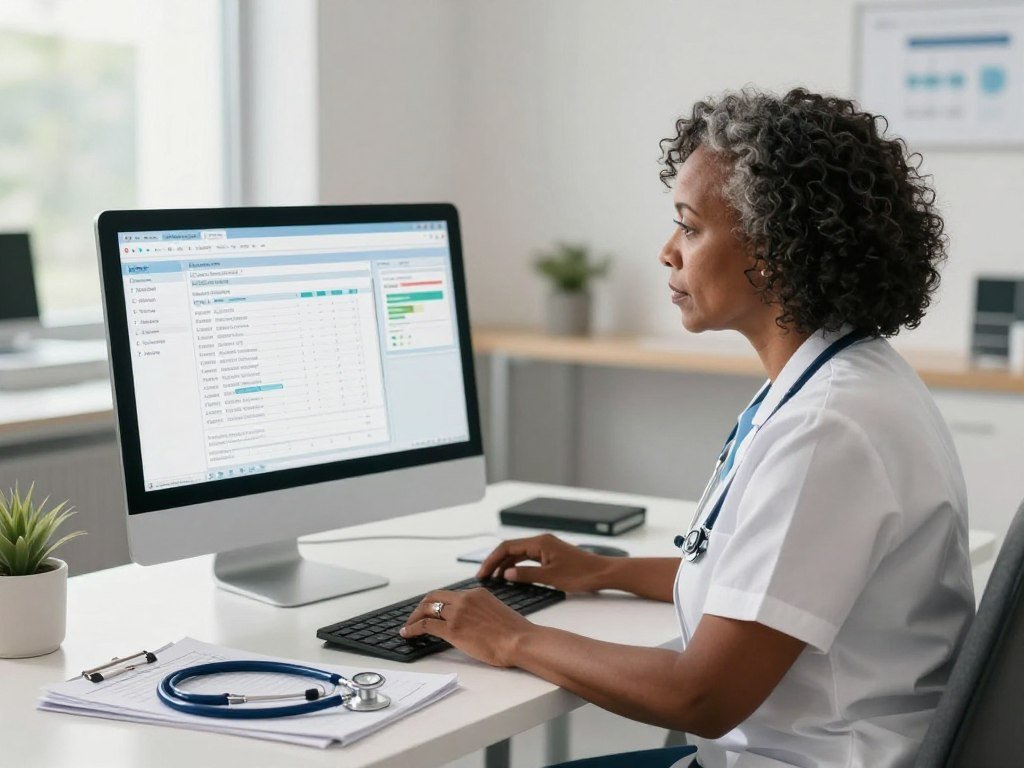
A digital record helps only when staff can find and document the information their role requires.
The software is delivered through cloud hosting, with centralized updates and logically separated customer data. Staff access the system over a network rather than relying only on software installed on a local computer. Cloud delivery does not, by itself, guarantee privacy, security or compliance; organizations still need sound controls and practices.
PointClickCare EHR tools can support different care and business tasks within one platform. The exact functions available depend on what an organization licenses and how it sets up access. A digital record is useful only when staff can find and document the information their role requires.
For a broader overview of PointClickCare features and workflows, consider how the facility’s daily work would use each part of the system. A digital record is not a replacement for clinical judgment or facility policy.
Which Care Settings Use PointClickCare?
PointClickCare is primarily designed for skilled nursing facilities and senior living communities, with home health as a secondary setting. These settings provide long-term care or support after a hospital stay, but they do not all deliver the same services. The platform’s focus is long-term post-acute care, rather than hospital inpatient care.
Its primary market is different from the market for hospital inpatient EHRs. In April 2026, Epic held 43.9% of U.S. hospital inpatient EHR installations. Oracle Cerner held about 19%, and MEDITECH held 10.7%.

Epic and Oracle Cerner together held more than 62% of the U.S. inpatient EHR market in April 2026. Those figures describe hospital inpatient installations, not every kind of healthcare software. April 2026 inpatient EHR shares do not show which platform is most common across all care settings.
- Skilled nursing facilities provide nursing care and rehabilitation for residents who need ongoing support or recovery services.
- Senior living communities offer housing and services that can range from limited support to more hands-on daily care.
- Home health teams provide care to people in their homes, often after illness, injury or a hospital stay.
These settings differ in staffing, resident needs and daily operations. A nursing facility may need to support long stays and post-acute care, while a home health team works across many locations. Senior living communities may focus on resident services and task coordination.
Hospital inpatient figures are useful context, but they cannot answer which software leads in nursing facilities or senior living. Compare software within the same care setting, because hospital inpatient market share does not establish leadership in long-term care.
What Does the PointClickCare Platform Include?
PointClickCare combines clinical and business functions in a modular platform, so organizations can license tools according to their needs. The pointclickcare EHR can support clinical documentation, while other solutions address billing, compliance and care coordination. A facility does not need every functional category to use the platform.
Organizations can select modules around their work rather than treating every feature as required. The table shows broad functional categories, not a purchase list. Specific features and access depend on the modules the organization licenses.

Clinical documentation and compliance
The foundational EHR can include physician orders, nursing documentation, assessments, care plans and MDS, the Minimum Data Set used in nursing home assessment. These tools help staff record care and organize information used in regulatory and operational workflows. Compliance tools can support processes, but software alone does not ensure that a facility meets requirements.
Clinical records may bring together notes and details from different staff roles. A consistent documentation workflow can make it easier for care providers to find relevant information. The facility must still define who enters each item and when staff should update it.
Billing and revenue-cycle tools
Revenue-cycle management supports billing and claims work. It connects business tasks with the services an organization provides and the records needed to support payment. Billing workflows vary by care setting, payer and facility practice, so the same tool may be configured differently across organizations.
Care coordination and add-on modules
Care coordination tools can help teams share information and organize work across roles. QuickMAR is an integrated eMAR, or electronic medication administration record, solution. Other add-ons may support reporting or communication, depending on what the organization selects.
| Module area | Examples of work | Why a facility uses it |
|---|---|---|
| Clinical EHR | Orders, nursing notes, assessments, care plans and MDS | Record resident care and clinical details |
| Revenue-cycle management | Billing and claims | Manage payment-related work |
| eMAR | Medication administration records | Document medication workflows |
| Coordination or reporting | Information sharing and reports | Support team communication and oversight |
Use the categories to compare operational needs, not to assume that all modules come with every subscription. Before comparing modules, identify which teams will use each one and which tasks they need it to support.
How Do Nurses Use PointClickCare in Daily Care?
A nurse may begin a shift by reviewing resident information, then document care as assigned tasks are completed. The workflow can involve opening an assigned resident record, checking relevant details and adding notes as care happens. Role permissions shape what each staff member can see and enter.
A facility determines which tasks each nursing role may access. Nurses may document vital signs, treatments and wound checks when those tasks are part of their assigned work. The electronic health record can keep these entries with other resident information for authorized team members to review.

Medication administration has its own record. When a nurse’s role permits it, the eMAR can be used to document medication administration. Barcode scanning and omission alerts are examples of workflow tools, though the facility decides which tools it uses and how they fit its procedures.
A typical shift may begin with a review of assigned residents and relevant orders. The nurse then completes care, records observations and updates documentation as tasks are finished. If a resident’s condition changes, staff follow clinical procedures and communicate with the appropriate team members.
Skilled nursing documentation may look different for a nursing assistant. PointClickCare CNA documentation should reflect the care assigned to that staff member within the facility’s workflow. Aides should not assume that all CNAs have the same record access or can enter the same information.
Electronic records can also add to documentation workload. An AHRQ-funded project studies how nurses’ EHR documentation patterns relate to work demands and care activities. Its research page reports an estimated 19-35% of nurses’ time spent documenting in EHRs, compared with 9% with paper documentation, as studied in two health systems.
The exact workflow depends on training, facility policy and access settings, not just the job title. Follow the facility’s training and role permissions before entering or changing a resident record.
What Can PointClickCare Companion Do?
PointClickCare Companion gives caregivers mobile access to assigned shift tasks and resident information. The app can show scheduled or unscheduled services and help staff record tasks during a shift. For senior living, it supports task workflows that may be harder to manage on paper.
Its task and medication workflows depend on integration with PointClickCare point-of-care and eMAR modules. Companion was updated on June 30, 2026. What staff can do depends on the facility’s setup, the modules it uses and each caregiver’s assigned role.
Shift tasks and resident information
During a shift, a caregiver can use the app to review assigned tasks and resident information. The task list may include planned services as well as unplanned services that arise during the day. Staff can document task completion and the time spent on tasks.
These mobile workflows can help caregivers record daily work close to when it happens. They can also support communication with colleagues who need to know which assigned services have been completed. The app does not replace facility procedures for urgent changes in a resident’s condition.
Documenting care and medication workflows
Companion can record resident vital signs and medication distribution. A caregiver can use the app to document a task or medication action when that workflow is enabled and allowed for their role. The connected point-of-care and eMAR modules support those senior living workflows.
The term PointClickCare CNA 26 may refer to a question about CNA-facing access, but it is not enough to identify a separate product. CNAs should follow their facility’s instructions for the app, their assigned tasks and any device they use.
Staff should document only the tasks and medication actions permitted by their role and facility procedures.
How Do You Log In to PointClickCare Point of Care?
The PointClickCare Point of Care login page asks for an organization code, username and password. Use the page assigned by your nursing facility or employer, not a public account or someone else’s login. These fields identify your organization and user account.
Do not share your credentials with coworkers or use another person’s account. A facility controls access to its PointClickCare POC workflows and can direct staff to the correct login page. The page may look different from another organization’s sign-in page.
- Organization code: enter the code assigned by your organization.
- Username: use the account name given to you by the facility.
- Password: enter your own current password without sharing it.
For a PointClickCare CNA login or a Point of Care login, the same rule applies: use the organization’s instructions. Staff should not try random codes or seek a way around facility access controls. If a password needs to be reset, follow the facility’s account process.
A sign-in failure may come from an incorrect code, username or password, or an account that needs help from an administrator. Avoid repeated guesses if the organization’s process may lock an account. Ask the facility’s administrator or support team to check access.
A practical PointClickCare login overview can help explain common access steps, but your organization’s assigned process controls your account. If an account or organization code fails, ask the facility’s administrator to verify access rather than trying another person’s credentials.
How Does PointClickCare Connect With Other Care Systems?
PointClickCare can connect with outside systems such as laboratories and pharmacies so care teams can exchange information across organizations. Interoperability means that separate health systems can send and receive data in a useful way. A connection does not guarantee that every system exchanges every data element.
Each interface needs a defined purpose, data flow and owner. PointClickCare reports options that include HL7 interfaces, APIs and FHIR-based APIs. The connection available at a given facility depends on its partners, setup and chosen workflow.
| External partner | Example information flow | Workflow supported |
|---|---|---|
| Laboratories | Orders and test results | Testing and result review |
| Pharmacies | Medication-related information | Medication coordination |
| Health information exchanges | Health records shared across organizations | Care coordination |
| Clearinghouses | Claims data | Billing and claims exchange |
HL7 and FHIR are standards or approaches used to support health data exchange. APIs let systems request or send information through defined software rules. None of these terms means that every facility has the same connections or that all records will transfer in the same format.
The National Library of Medicine explains how health data standards support shared data definitions, including USCDI, the United States Core Data for Interoperability. The standards support clearer exchange, but they do not confirm that a particular PointClickCare connection is active at a facility.
A 2023 survey found that more than 90% of health information exchange organizations routinely or sometimes sent and received CDA documents. More than 80% did so with HL7 v2 messages, while about one-fifth reported sending or receiving data through HL7 FHIR APIs. These results describe HIOs, not PointClickCare integrations.
Confirm the specific connection, data exchanged and workflow owner before relying on an interface in daily care.
How Much Does PointClickCare Cost?
PointClickCare pricing is quoted for each organization, with the amount shaped by census, selected modules and care settings. Estimated costs can help a facility plan an initial budget, but they are not an official price list or guaranteed quote. Facility software is commonly priced per bed per month, and add-on modules can raise the rate.
Organizations serving more patients per day may face higher setup and monthly estimates. The ranges below are estimates for organizations at the stated daily patient volumes. A custom quote reflects the organization’s selected features and care operations.
What drives the quote?
Facility size or census is one pricing factor. The number of beds or people served can affect a per-bed monthly charge. A facility’s care setting and the modules it selects also shape the quote, since different organizations may need different functions.
Setup and ongoing fees cover different parts of the arrangement. Initial costs may reflect configuration and launch work, while monthly costs reflect ongoing software use and selected tools. Ask for the costs to be shown by item so the organization can compare its needs with the quote.
Estimated setup and monthly ranges
| Patients served per day | Estimated setup | Estimated monthly cost |
|---|---|---|
| Up to about 50 | $10,000-$25,000 | $500-$2,000 |
| About 50-200 | $25,000-$75,000 | $2,000-$5,000 |
| More than 200 | $75,000-$200,000 | $5,000-$15,000 or more |
These estimated ranges are broad planning figures, not a PointClickCare price guarantee. A facility’s quote may differ based on its census, modules and care setting. The estimated costs can help frame a conversation, but they cannot replace a quote built for the organization.
For example, a smaller organization serving up to about 50 patients per day has an estimated setup range of $10,000-$25,000 and monthly range of $500-$2,000. The conditions matter: these are estimates for that patient volume, not exact rates for every facility in that group.
Use the ranges only to frame a budget conversation, then compare the organization’s own requirements against its quote.
What Happens During PointClickCare Implementation?
Implementation involves more than turning on software: a facility needs to prepare its data, workflows and staff. Planning ahead can help teams find gaps before they affect live work. Implementation may include onboarding, staff training, support packages, custom integrations and data migration.
Facilities should assign owners for data validation, workflow decisions and staff practice before launch. The technical work and people work are linked. A system can be ready to open while the staff still need time to learn their tasks.
Preparing the data and integrations
Data migration moves records from one system or storage method into another. Facility staff should decide which data needs to move and who will check the transferred records. Custom integrations may connect the system with outside partners, but each connection needs a clear workflow and test plan.
Workflow design matters before staff begin using the software. Teams can map how an order, note or claim moves through the facility, then decide who enters and reviews each item. Data errors can carry into daily work if no one checks them.
Getting staff ready to use the system
Training should match the tasks each role performs. Nurses, aides and billing staff may use different parts of the system, so one general session may not prepare everyone. Staff practice helps them learn how to find the right workflow before launch.
Onboarding and support packages may provide help during setup and early use. The organization should name who handles staff questions and who can raise issues that affect resident care or billing. This gives the team a clear route when a workflow does not match the planned process.
Assign an owner to validate migrated records before staff rely on them in live care.
What Does Point of Care Mean in Healthcare?
In healthcare, point-of-care testing means performing a test near the patient and care site rather than sending it to a centralized laboratory. Point-of-care testing (POCT) describes where testing takes place, not one specific test or electronic health record. Results are generally available quickly enough to act on without delay.
The term describes the testing location, not a guarantee that every result is instant or suitable for every setting. A health professional may perform POCT in a clinic, hospital or other care site. Some tests may also be performed by patients themselves, depending on the test.
Possible operators include laboratory professionals, first responders, radiologists, doctors, nurses, physician assistants and other health practitioners. Patients may perform certain tests at home. The right operator depends on the test, the setting and the instructions for using it.
PointClickCare Point of Care is a software access term. POCT is a kind of healthcare testing, so the similar wording can cause confusion. A Point of Care login does not mean that a user is performing a medical test.
The Association for Diagnostics and Laboratory Medicine describes POCT as testing near the patient and explains how faster results can support timely care decisions. A rapid result still needs to be used within the right clinical process.
The test, operator and care setting determine how a result should be interpreted and acted on.
Which Tests Are Commonly Done at the Point of Care?
Common point-of-care tests include blood glucose monitoring, dipstick urinalysis, rapid strep and PT/INR testing. Each test answers a different question, from checking blood sugar to helping guide warfarin therapy. Some are used for screening or monitoring, while others help guide treatment.
Use each test only for its intended purpose. Results and settings vary by test, and a test name alone does not explain the care decision. The table gives typical uses for four common tests.
Screening and monitoring tests
Blood glucose testing supports diabetes screening and monitoring. A health professional or patient may perform it, depending on the situation. Dipstick urinalysis can screen or monitor the kidneys and urinary tract and help diagnose urinary tract infections.
Other examples include home pregnancy testing, hemoglobin testing and fecal occult blood testing. These tests serve different purposes and are not interchangeable. The choice depends on the question being checked.
Tests used to guide treatment
Rapid strep testing can help diagnose strep throat in a clinic or hospital. PT/INR testing measures blood clotting and helps monitor warfarin therapy. It may be performed at home, in a clinic or in a hospital.
| Test | Typical purpose | Common setting |
|---|---|---|
| Blood glucose | Diabetes screening and monitoring | Home or care site |
| Dipstick urinalysis | Kidney and urinary tract screening or monitoring | Clinic or care site |
| Rapid strep | Help diagnose strep throat | Clinic or hospital |
| PT/INR | Monitor warfarin therapy | Home, clinic or hospital |
Point-of-care testing can provide useful information close to the time of care. A result still needs to be read in light of the patient’s condition and the test instructions. Match each test to its intended use and the clinical instructions for that test.
What Are the Limitations of Point-of-Care Testing?
A rapid result is useful only when the test is appropriate, the specimen is collected correctly and the operator follows its procedure. Speed alone does not make a result dependable. Test complexity and quality requirements can differ from one device or method to another.
Some results need confirmation by a laboratory or clinician. A test can produce a result that does not fit the patient’s condition, so staff need a clear path for follow-up. Waived tests still require staff to follow the applicable procedures and instructions.
Different devices do not share one performance profile. A urine dipstick, handheld glucose meter and molecular analyzer for infectious disease detection use different methods. Each has its own steps, limits and quality needs.
Reliable testing depends on collection and use, not only the device. Staff need training, clear written procedures and required quality checks. The ADLM guide to POCT quality practices covers training, quality control, maintenance and U.S. CLIA rules.
- Correct specimen: collect the sample required by the test instructions.
- Trained operator: make sure the person performing the test knows the procedure.
- Required quality controls: complete the checks specified for the test and device.
- Clear escalation path: know who reviews an unexpected result and what happens next.
Each check protects a different part of the process. A poor specimen can affect a result before the device reads it, while missed quality steps can weaken confidence in the reading. Training also helps staff spot when a test does not fit the situation.
Follow the test’s instructions and clinical protocol when a result is unexpected or does not fit the patient’s condition.
What Should a Facility Check Before Choosing PointClickCare?
A facility should check whether the selected modules, staff workflows and required data connections match its actual care operations. Start with daily work, not a feature list: identify the people who will use the system and the tasks they must complete. Then assess fit with regulatory requirements and the facility’s data practices.
A Health IT certification applies to a specified Health IT Module and its applicable criteria, not to general compliance. A certification label is not a blanket promise that every facility workflow meets every rule. The product, version and criteria matter.
Check how staff roles map to the access they need. Confirm which modules support the facility’s clinical, billing and coordination workflows. For data exchange, define the outside systems involved and what information must move between them.
PointClickCare’s reported interoperability options include HL7 interfaces, APIs and FHIR-based APIs. Ask which connection applies to the facility’s partners and what data it covers. Health data standards such as USCDI support shared definitions, but they do not guarantee that a specific interface is available.
- Workflow fit: Which daily tasks should the software support?
- Staff roles: What information and actions does each role need?
- Modules: Which tools match the facility’s required work?
- Integrations: Which partners and data flows must connect?
- Data and certification: How is data handled, and which exact product criteria apply?
Use these questions in a vendor discussion and ask for clear answers about the selected product and version. Bring the facility’s compliance and IT leads into the review, especially when a certification claim or data connection affects operations.
Certification covers defined product criteria, not every compliance duty a facility must meet.
Ask the organization’s compliance and IT leads to verify the exact certification scope and integration requirements before contracting.
Conclusion
PointClickCare is best understood as a modular record and workflow platform for long-term and post-acute care organizations. It focuses on skilled nursing and senior living, while home health is a secondary line. The facility’s own workflows determine which tools matter.
Care providers should assess how the EHR fits their staff roles, documentation needs and connections with other systems. A clear map of daily tasks gives leaders a practical way to compare the platform with facility needs.
List the facility’s essential workflows, then ask its administrator or vendor contact to map them to available modules and integrations. Start by mapping the facility’s daily care and administrative tasks to the access, training and integrations staff will need.
FAQ
How to use PointClickCare as a nurse?
What is the most used software in healthcare?
How much is PointClickCare?
What is point of care in healthcare?
What is PointClickCare and what is it used for?
Who performs POCT?
What are the most common POCT tests?
What are the disadvantages of POCT?