Key Takeaways
- Instant focus boost
- Zero tab clutter
- Faster daily workflow
- Easy time management
Have you ever opened your browser to check one single email, only to realize forty minutes later that you are lost in a black hole of random news and social media posts?
It happens to almost everyone every single day.
When your digital workspace is crowded with dozens of open tabs and constant pings, holding onto your concentration feels almost impossible.
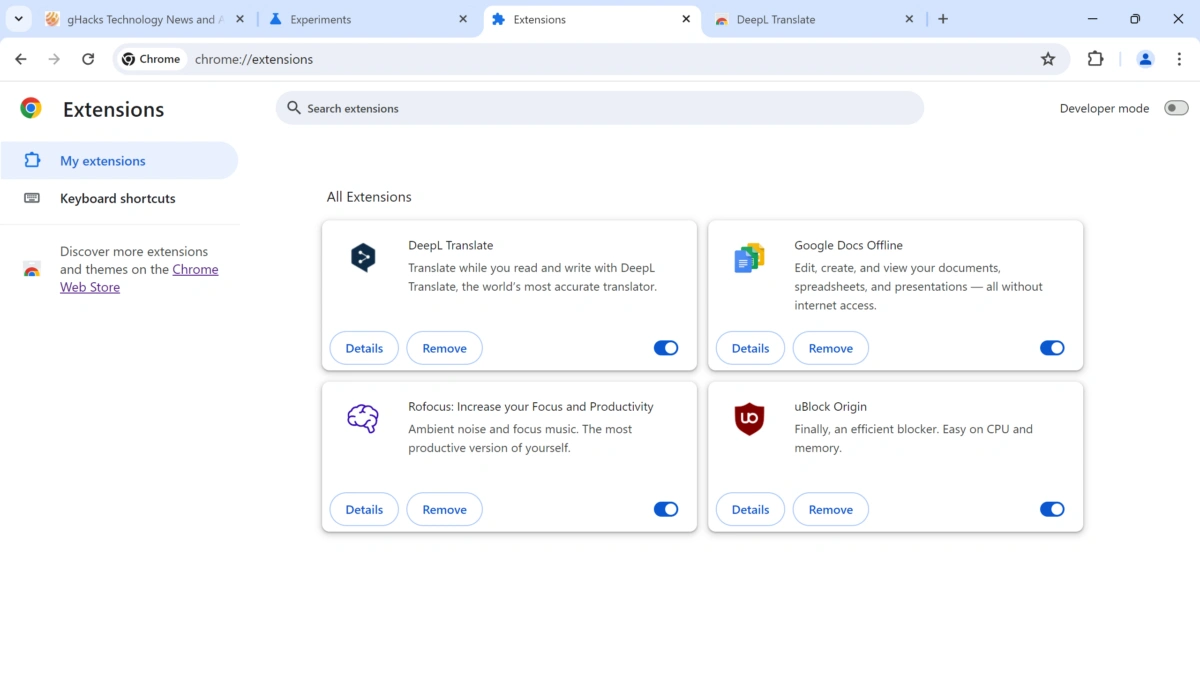
If you want to take back control of your precious workday, using the best productivity chrome extensions is easily the fastest way to stay focused and get more done without feeling constantly drained.
AI Overview
The best productivity chrome extensions help you manage daily tasks, block annoying online distractions, and keep your browser tabs completely tidy. By using tools like Todoist, StayFocusd, and OneTab, you can easily save hours every week. PraviCeler helps professionals streamline their daily digital workflow with simple, practical habits and tools designed for deep focus and higher work output.
Why Your Browser Is Ruining Your Focus
Do you feel like your browser is constantly fighting against your mental clarity?
Every open tab hanging at the top of your screen acts like a tiny voice whispering for your attention.
First, you open over twenty tabs to research a project.
Next, notifications start popping up on your screen.
Finally, your brain feels completely overloaded, leading to heavy brain fog and lost work hours.
When you try to focus on a single piece of work, a sudden notification or a bright red badge pulls your mind completely away.
That constant jumping back and forth between different pages drains your mental energy faster than you realize.
In fact, switching back and forth between different apps and browser pages can cost you up to 40% of your productive work time according to general industry data.
When you lose your train of thought, it takes minutes to regain full concentration on the task at hand.
Using the right productivity chrome extensions helps you build a calm, clean, and organized digital workspace.
It keeps your mind focused on what actually matters right now, so you can finish your work on time and enjoy your evening.
Top Extension Categories for Work and Focus
| Goal / Need | Best Chrome Extension | Main Benefit |
| Tab Management | OneTab | Reduces browser clutter & frees up RAM |
| Distraction Control | StayFocusd | Blocks time-wasting sites during work |
| Task Management | Todoist | Keeps daily to-do lists organized |
| Time Tracking | Toggl Track | Tracks real work hours effortlessly |
| Grammar & Writing | Grammarly | Fixes typos and polishes work emails |
Best Chrome Extensions to Block Distractions
Staying focused on your main tasks is tough when entertainment and social media are always just one short click away.
Distraction blockers build a solid boundary between your actual work hours and digital noise.
StayFocusd
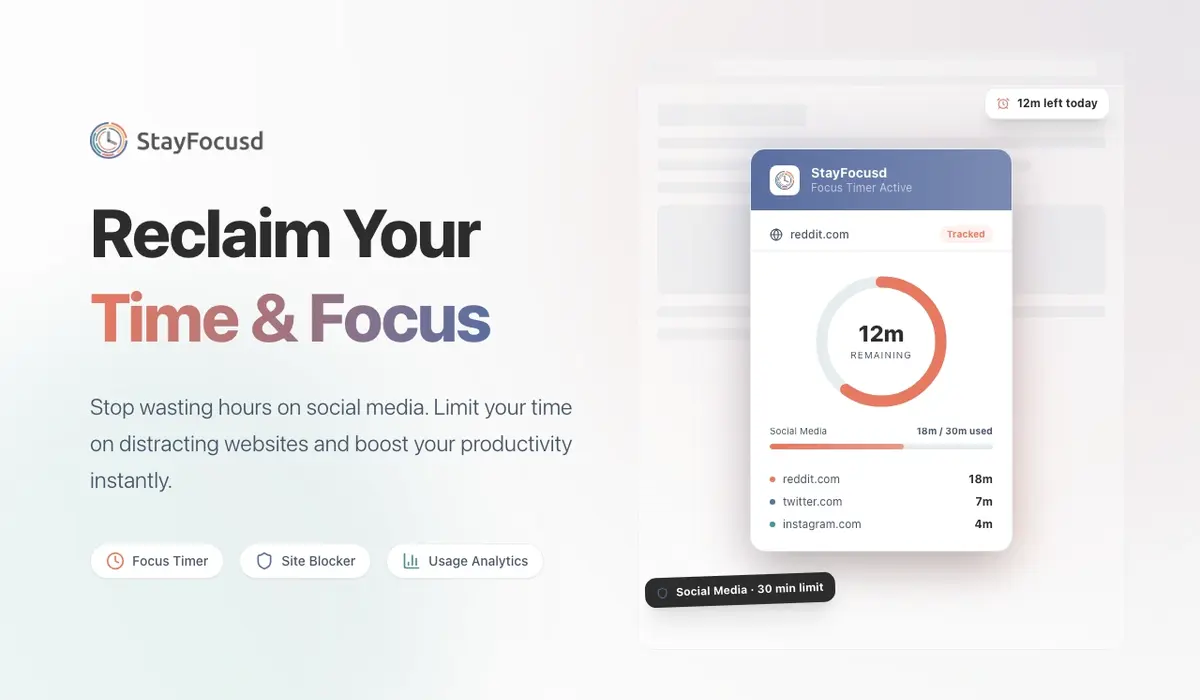
StayFocusd is a direct tool that limits the total time you spend on time-wasting websites throughout the day.
You can set a specific daily time limit for problematic sites, like fifteen minutes total.
Once your allotted time is up, StayFocusd completely blocks those websites for the rest of the entire workday.
It forces you to stay on track during critical working hours when you feel tempted to browse aimlessly.
Freedom
Freedom allows you to block distracting websites and intrusive apps across all your devices simultaneously.
You can plan and schedule your focus sessions ahead of time to build consistent daily work habits.
It prevents you from cheating on your goals by turning off access to troublesome sites on your phone and laptop together.
This tool is ideal for deep focus work, heavy writing sessions, and complex analytical tasks.
Best Chrome Extensions to Manage Open Tabs
Having thirty or forty open tabs active at once is a clear sign of digital overload.
Tab management tools give your browser performance and your mental health much-needed breathing room.
OneTab
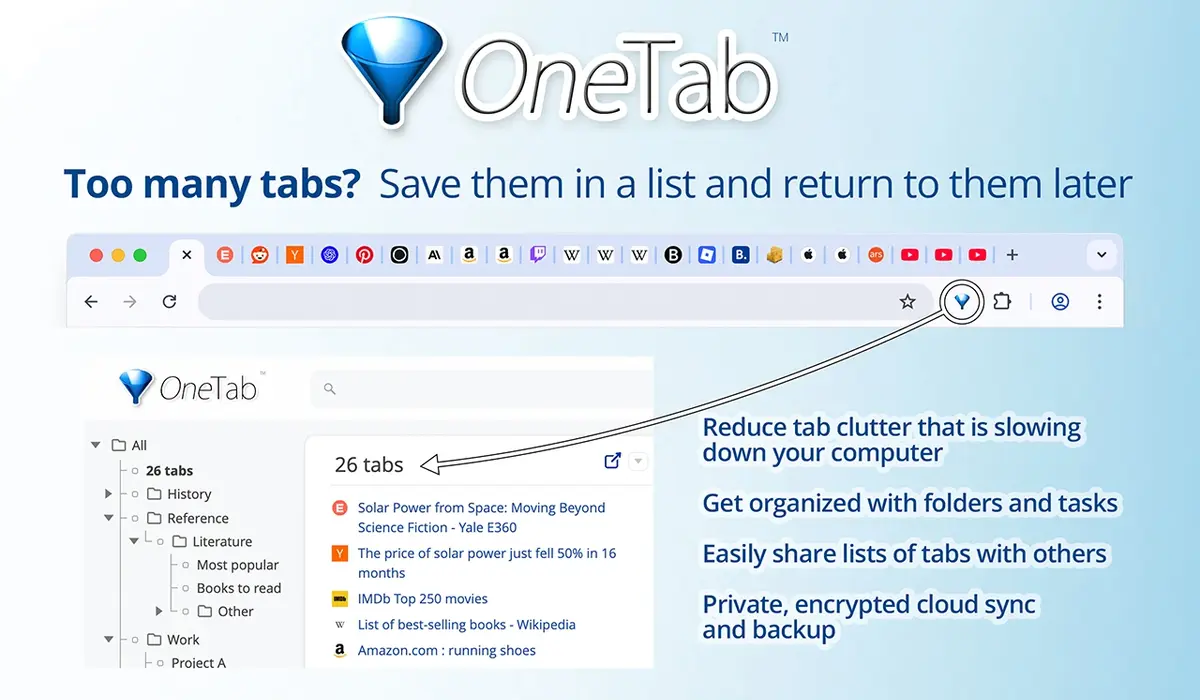
OneTab converts all your open browser tabs into a single, clean list with just one simple click.
This simple action saves massive amounts of browser memory and reduces visual stress instantly.
You can restore your tabs individually or all at once whenever you actually need to reference them again.
It turns a chaotic screen into an organized workspace in less than a second.
Toby
Toby replaces your default empty new tab page with a clean, visual organization desktop.
You can drag and drop your active tabs into neat collections based on specific projects or daily work routines.
It keeps your essential work tools, documents, and reference sites accessible in one organized hub.
You no longer have to waste time searching through tiny browser icons to find your work.
Best Chrome Extensions for Daily Task Tracking
Keeping your daily tasks clearly visible helps you finish your work commitments on time.
Integrated task managers prevent important client emails and project deadlines from falling through the cracks.
Todoist
Todoist lets you capture ideas, add tasks, and set due dates directly from your Chrome browser window.
You can turn any interesting webpage or important work email link directly into an actionable to-do item.
It helps you keep your daily work life organized without ever leaving the page you are currently working on.
At PraviCeler, we always recommend keeping your task tracking system as simple as possible so you actually stick with it every day.
TickTick
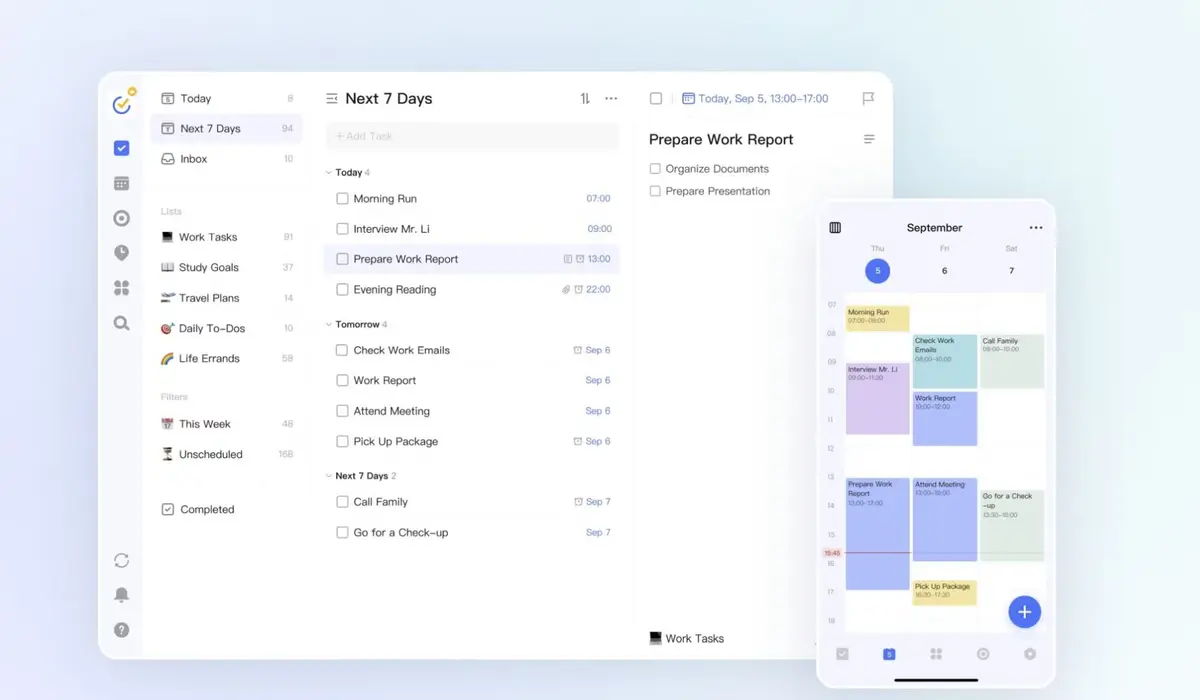
TickTick combines a feature-rich to-do list directly with a built-in Pomodoro focus timer.
It allows you to track your daily tasks while timing your active focus bursts in one single view.
It is ideal for breaking large, overwhelming projects down into small, manageable action steps.
You can check off completed tasks and build continuous daily productivity momentum.
How PraviCeler Helps You Master Digital Focus
Setting up helpful browser extensions is only half the battle when trying to build a focused work routine.
At PraviCeler, we focus on helping working professionals and teams build sustainable digital workflows that actually stick.
Using the best productivity chrome extensions gives you the exact practical tools you need to succeed every single day.
Combining these smart extensions with healthy digital habits creates a calm, structured, and powerful workspace.
When you control your digital environment, your work output improves while your daily stress levels drop naturally.
Comparison of Top Productivity Extensions
| Extension | Best For | Free Version Available? | Learning Curve |
| StayFocusd | Strict focus enforcement | Yes | Very Easy |
| OneTab | Tab organization | Yes | Instant |
| Todoist | Daily task lists | Yes | Easy |
| Toggl Track | Time logging | Yes | Easy |
| Grammarly | Quick writing polishes | Yes | Instant |
Simple Rules to Keep Your Extensions Fast
Adding dozens of active extensions can actually slow down your Chrome browser over time.
Here are four simple rules to keep your setup running fast and clean:
- Audit your active extensions list once every month to remove old items.
- Turn off specific tools that you do not use on a daily basis.
- Keep only one active tool per functional category enabled at a time.
- Clear your browser cache and cookies regularly to maintain fast loading speeds.
Conclusion
Finding your ideal digital setup takes a tiny bit of trial and error, but the daily time saved is worth it.
By selecting two or three core tools from this guide, you can clean up your digital workspace and claim hours back every single week.
Start small today, clear away the unnecessary browser clutter, and watch your daily focus and work output soar.
Frequently Asked Questions
What are the best productivity chrome extensions for focus?
StayFocusd and OneTab are generally considered among the best productivity chrome extensions for focus. They block time-wasting websites and eliminate messy tab clutter quickly to keep your mind clear.
Do Chrome extensions slow down your computer performance?
Yes, running too many active Chrome extensions can slow down your system. It is generally best to keep only essential tools active and remove unused ones regularly to maintain speed.
How do tab managers help you stay organized at work?
Tab managers compress dozens of open pages into clean lists or visual folders. This reduces browser memory usage and prevents visual distraction, helping you stay clear-headed and focused.
Are free Chrome productivity extensions safe to use?
In most cases, extensions from verified developers on the official Chrome Web Store are completely safe. Always check user reviews, developer details, and permission requests before installing new tools.