
Key Takeaways
- Seamless real-time collaboration across remote and hybrid teams
- Unified workspaces combining tasks, documents, and communication
- Smart automated workflows to eliminate repetitive daily busywork
- Scalable cloud platforms tailored for modern business growth
Introduction
Ever felt like your workday is slipping away while you jump between a dozen open browser tabs? You are definitely not alone. Most of us spend way too much time hunting down lost files or chasing updates in endless email chains. So, how do you actually keep everyone on the same page without going crazy? The secret lies in using the best cloud-based productivity apps that bring your files, communication, and project planning into one smooth digital workspace.
Cloud software lets you work seamlessly from anywhere, ditching outdated spreadsheets for real-time collaboration. In this guide, we will break down the top tools transforming modern workflows. At PraviCeler, we love testing digital solutions that make work feel less like a chore and more like a breeze.
AI Overview
Cloud-based productivity tools are web-based applications that allow teams to collaborate, manage projects, and communicate in real time from any device. By centralizing documents, task tracking, and messaging in secure online platforms, these solutions eliminate file silos, reduce manual busywork, and keep hybrid teams synchronized effortlessly. Modern platforms leverage intelligent automation to streamline everyday enterprise workflows.
What Makes a Great Cloud-Based Productivity Tool?

Finding the right platform isn’t about collecting the most features; it is about choosing software that fits how your team naturally operates.
Key Features to Look For
- Real-time co-authoring: Multiple team members editing documents at once without version confusion.
- Cross-platform access: Smooth performance across desktop browsers, laptops, and mobile devices.
- App integrations: Direct connections with email, storage, and communication channels.
- Enterprise security: Robust encryption, permissions management, and automatic cloud backups.
Real-World Impact
When teams adopt unified cloud software, daily administrative friction drops dramatically. Instead of sending three follow-up emails for a status update, a quick glance at a shared dashboard gives you immediate answers.
Top Cloud Productivity Suites for Enterprise & Teams
All-in-one productivity suites serve as the primary engine for business operations. They combine document creation, cloud storage, email, and live communication under one roof.
Workspace Platforms Compared
| Platform | Core Strengths | Ideal Team Size | Integration Ecosystem |
| Google Workspace | Cloud-native simplicity, real-time editing | Freelancers to Enterprises | Extensive third-party marketplace |
| Microsoft 365 | Robust desktop apps, enterprise compliance | Mid-market to Enterprises | Native Microsoft ecosystem |
| Notion | Modular databases, customizable wikis | Startups & Small Teams | Growing API connections |
Google Workspace vs. Microsoft 365

Google Workspace excels in browser-based simplicity, making simultaneous document editing instant and painless. Microsoft 365 offers unmatched depth in advanced spreadsheet modeling and complex document formatting.
Custom Workspaces
Platforms like Notion offer flexible building blocks, allowing teams to construct custom dashboards, knowledge hubs, and project trackers tailored to their specific operational workflows.
Project Management and Task Tracking Tools
Keeping projects on schedule requires clear accountability and visual tracking platforms.
Essential Management Platforms
- Monday.com: Highly visual, color-coded boards with simple column customizations.
- ClickUp: An ambitious all-in-one platform offering tasks, docs, goals, and whiteboards.
- Asana: Clean interface focused on clear task dependencies and workload management.
- Trello: Simple drag-and-drop Kanban boards ideal for lightweight task pipelines.
Visualizing Workflows
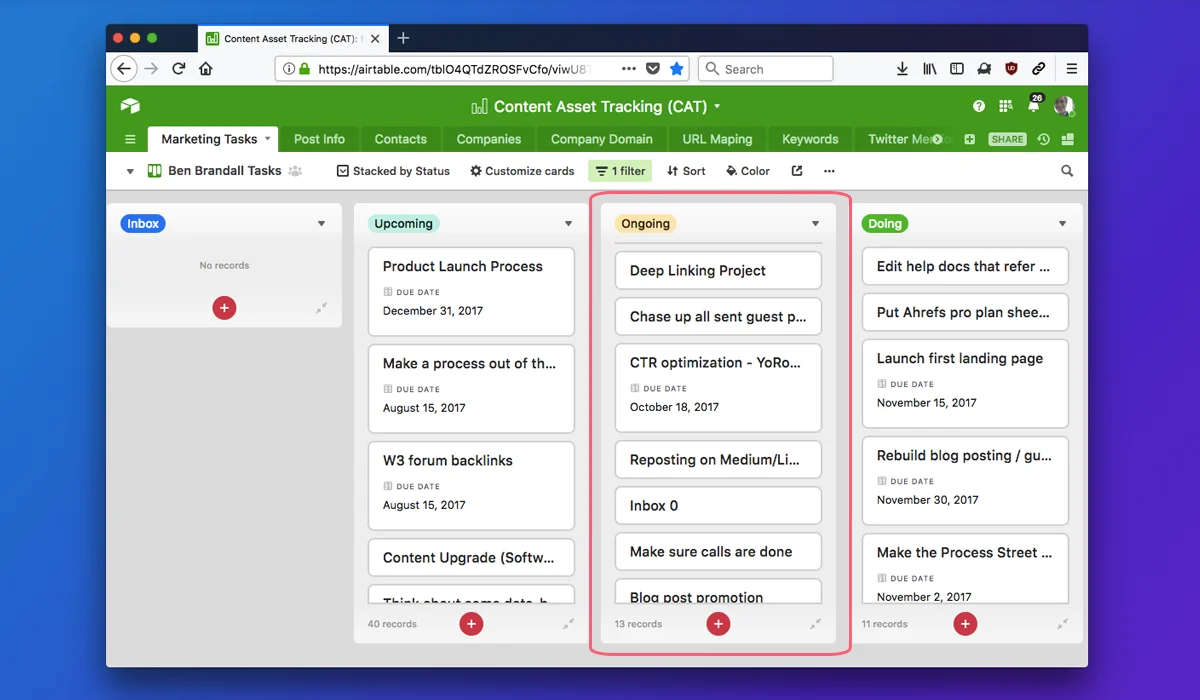
Using visual task boards helps team members spot bottlenecks instantly. For instance, moving a card from “In Progress” to “Under Review” provides immediate clarity without extra status meetings. At PraviCeler, we find that clear visual tracking reduces project delays by keeping expectations transparent across departments.
Communication and Real-Time Collaboration Platforms
Instant communication keeps remote teams linked, replacing long email threads with quick, contextual discussions.
Chat and Video Solutions Compared
| Tool | Primary Purpose | Standout Feature |
| Slack | Asynchronous & synchronous messaging | Dedicated channels and rich app integrations |
| Microsoft Teams | Unified video calling & chat | Seamless integration with Office files |
| Zoom | Reliable video conferencing | High-definition meetings and breakout rooms |
Reducing Meeting Fatigue
Combining structured channel messaging with targeted video calls keeps team communication efficient while protecting focus time.
Cloud Storage and Knowledge Management
Secure file storage and central knowledge repositories ensure critical information remains organized and reachable.
File Storage Solutions
Platforms such as Google Drive, Dropbox, and Box provide encrypted cloud storage with granular access controls. Storing assets in the cloud prevents data loss and simplifies file sharing across external partners.
Internal Team Knowledge Base
Documenting processes in centralized company wikis ensures new hires onboard faster and standard operating procedures remain accessible to everyone.
Automation and Integration Engines
Connecting separate tools into a unified system eliminates repetitive manual data entry.
Streamlining Daily Tasks
Tools like Zapier and Make act as background bridges between software applications. For example, when a potential client fills out a website form, automation engines can instantly create a sales task, notify a team channel, and log the contact details.
Maximizing Efficiency
Building smart automated connections between your communication platforms and project boards keeps data accurate while freeing up time for strategic work. Using PraviCeler strategy frameworks helps teams identify manual bottlenecks and implement effective, time-saving digital connections.
How to Choose the Right Cloud Tool Stack
Selecting software depends on your company’s size, technical requirements, and existing technical setup.
Decision Checklist
- Identify your team’s biggest daily communication or tracking bottlenecks.
- Check whether new software integrates easily with your core platforms.
- Start with free trials to gather real user feedback before purchasing subscriptions.
- Review user access controls and cloud data security standards.
Conclusion
Upgrading your stack with the best cloud-based productivity tools is one of the easiest ways to eliminate workday chaos, keep team communication clear, and save valuable hours each week. Whether you need simple file sharing, flexible project boards, or fully automated workflows, choosing software that matches your team’s routine makes all the difference. Pick one area where your workflow feels clunky, test a modern cloud tool today, and build a more productive workday.
Frequently Asked Questions
How do cloud-based tools improve remote team collaboration?
They allow distributed team members to edit documents, share files, and communicate simultaneously in real time from any internet-connected device.
Are cloud-based productivity apps safe for company data?
Yes, reputable cloud providers utilize robust enterprise encryption, secure data centers, and multi-factor authentication to protect sensitive business information effectively.
What is the difference between a productivity suite and project management software?
A productivity suite offers general creation tools like documents and spreadsheets, whereas project management software tracks task deadlines, workflows, and project timelines.
Can small businesses afford high-end cloud productivity software?
Most modern cloud tools offer flexible, tier-based subscription models with free plans or low per-user monthly costs tailored for growing teams.