Choosing a monitor is easier once you decide whether you want a simple view of the crib or extra information and alerts. Some parents want to hear a cry and see the nursery; others want sleep insights or readings from a wearable. Your choice can also depend on who will use the system, where you will use it, and how much information feels helpful at night. The best baby monitors range from simple dedicated screens to app-connected cameras and movement-based wearables. Each type offers a different kind of reassurance, so more features do not always mean a better fit. This comparison lays out the practical differences, costs, and limits in plain terms. A monitor can help you observe your baby, but it does not replace safe-sleep practices, medical care, or advice from your child’s clinician. Start with the kind of reassurance that will help you feel comfortable leaving the room.
Key Takeaways
- Choose a simple camera or sound system if you mainly want to check the crib.
- App-connected options let you view the feed on a phone or tablet.
- Sleep tracking, movement alerts, and pulse readings provide different kinds of information.
- More alerts can add worry, so focus on features you will use.
- Monitoring products do not replace safe-sleep steps or medical care.
Best Baby Monitors for Different Needs
For most families who want a clear view without committing to health tracking, start with the Eufy E21; the other picks fit more specific priorities. The right pick depends on the kind of information you want and how you prefer to view it. These best baby monitors cover a dedicated screen, phone access, sleep insights, pulse and oxygen readings, and travel.
Fathercraft tested eight monitors over more than six months with two children, at home and while traveling. Those settings matter: a monitor that works well beside a bedroom may not suit trips or shared caregiving. The table gives you a quick way to compare each baby monitor without treating any feature as a measure of medical care.
| Pick | Best suited to | Connection or viewing type | Deciding feature |
|---|---|---|---|
| Eufy E21 | Flexible viewing | Dedicated screen and Wi-Fi | Camera view on screen or phone |
| VTech Advanced HQ Max | Simple local viewing | Dedicated screen, no Wi-Fi | 7-inch screen and motion detection |
| Nanit Smart Baby Monitor | Sleep insights | App-connected camera | Sleep history and breathing-related movement tracking |
| Owlet Dream Duo 3 | Pulse and oxygen readings | Wearable sock and app | Reads pulse and blood oxygen |
| Harbor | Privacy and travel | 10-inch dedicated screen | Works without Wi-Fi |
Choose the monitor that fits your routine, not the one with the most alerts. A feature matters when it gives you useful information without adding stress.
These options do not all measure the same thing. Video shows what the camera can see, while a wearable may report movement or body readings. A dedicated screen keeps viewing separate from your phone, while an app can make access easier for caregivers.
Think about a typical night, not an ideal setup with every device charged and every person available. The best baby choice is often the one you can operate without extra steps when you are tired. Use the pick that matches your everyday routine, not the longest feature list.
How to Choose a Baby Monitor for Your Home
A useful first decision is whether sound and a picture are enough or whether you specifically want sleep or movement information. Choose the smallest amount of information that meets your need. Extra alerts can feel reassuring at first, but they may also create worry when they do not change what you do.
Sound-only baby monitors let you hear crying without showing the crib. Video adds a live view, while a movement monitor looks for movement linked to breathing and may alert after 20 seconds without expected movement. Sleep tools offer another kind of information, such as patterns over time, rather than a medical check.
Decide what information will actually help
Ask what you want to know when you leave the room. If hearing a cry is enough, a sound unit may suit you. If seeing the crib helps, video may add comfort. A movement or sleep feature makes sense only when you understand what it measures and how you will respond.
Some parents already track their own sleep and wellness with tools such as the Oura Ring wellness tracker. That adult wearable is different from a baby monitor, and its sleep data does not replace infant care. Keep the distinction clear when comparing information tools.
Match the setup to your room and routine
Consider who will use the monitor and where the parent device will sit. A caregiver may need access while you are away, or you may prefer to keep the screen in one room. Think about battery life if you plan to carry a parent unit around the home or use it during travel.
Use this four-point checklist before comparing features:
- Desired information: sound, video, sleep patterns, or movement alerts.
- Preferred viewing device: a dedicated screen or a phone.
- Use location: mainly at home, or at home and while traveling.
- Comfort with alerts: occasional notices or frequent updates.
Parents want different levels of detail, and there is no need to add a feature just because it is available. Choose only features you can see yourself using during an ordinary night.
Wi-Fi vs. Non-Wi-Fi Baby Monitors
A Wi-Fi monitor is the better fit when you need to check the feed on a phone away from home; a dedicated-unit system suits families who prefer a separate screen and local connection. Remote phone viewing usually depends on internet access. Frequency-hopping spread spectrum, or FHSS, is a radio transmission method that changes frequencies to reduce interference.
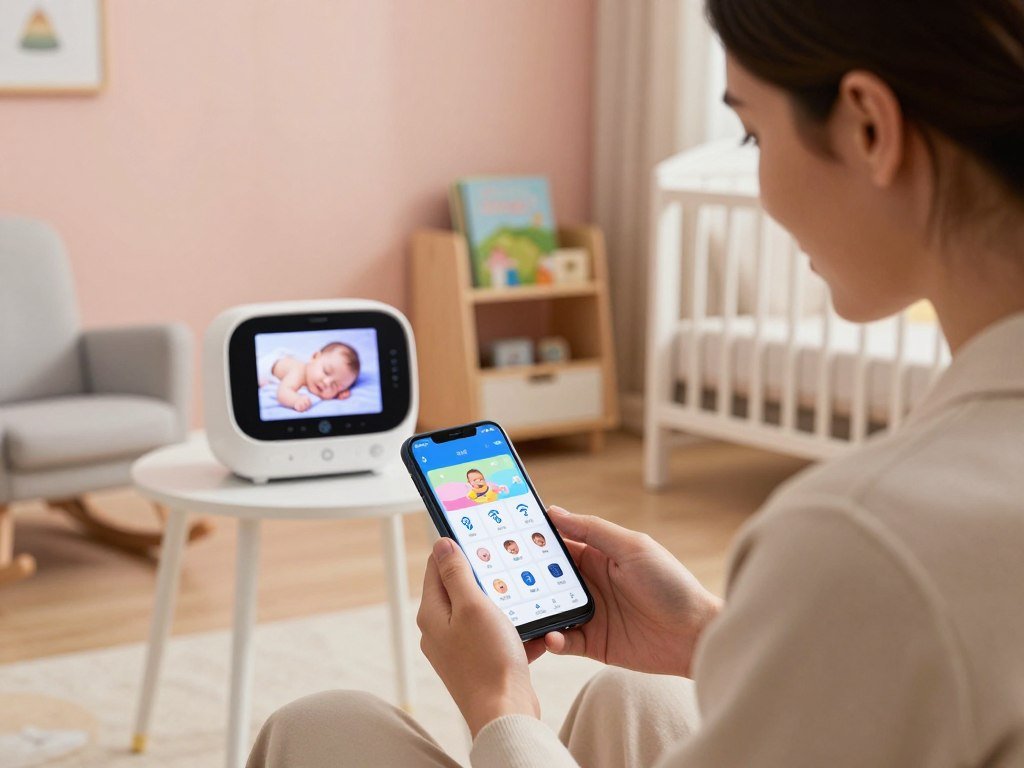
A dedicated-unit monitor sends the camera feed to a separate parent screen. Some models use FHSS or another local link, so they do not need home internet for basic viewing. A Wi-Fi monitor can offer phone access, though remote viewing may stop when the internet connection fails.
When a Wi-Fi connection helps
Choose Wi-Fi when you want an app on your phone or need to check the feed away from home. The phone can be convenient for a second caregiver, but the camera and app need a working connection for remote access. A phone app also means your viewing device is not dedicated to the nursery.
When a dedicated connection makes more sense
A separate parent screen suits families who want the monitor apart from daily phone use. A hybrid model can offer both local viewing and Wi-Fi access, depending on how you set it up. The Eufy E21 was listed at $259.99 in 2026 and described as a hybrid that works with or without Wi-Fi.
| Setup | Practical advantage | Trade-off |
|---|---|---|
| Wi-Fi monitor | Phone access at home or remotely | Remote viewing depends on internet |
| Dedicated-unit monitor | Separate parent screen | Phone access may not be included |
| Hybrid monitor | Can switch between local and Wi-Fi modes | Mode options vary by model |
| Monitor using a phone app | Uses a phone as parent device | Phone and connection must be available |
Range and walls can affect a local signal, while network quality can affect an app feed. Test the system in the rooms where you plan to use it. Pick the connection you can rely on in the places where you will actually use it.
Best Baby Monitor with Camera for Most Families
The Eufy E21 is a strong camera-first pick for families who want clear video, clear sound, and reliable range. It works best when viewing and listening matter more than movement or vital-sign tracking. In BabyGearLab testing, it scored 8.5 for video, 8.3 for sound, 9.0 for range, and 7.9 for ease of use.
Those scores point to useful everyday strengths. A clear camera view helps you check the crib without walking into the room, and good sound can help you tell whether a noise needs your attention. Remote camera adjustment lets you change the view from the parent device instead of moving the camera by hand.
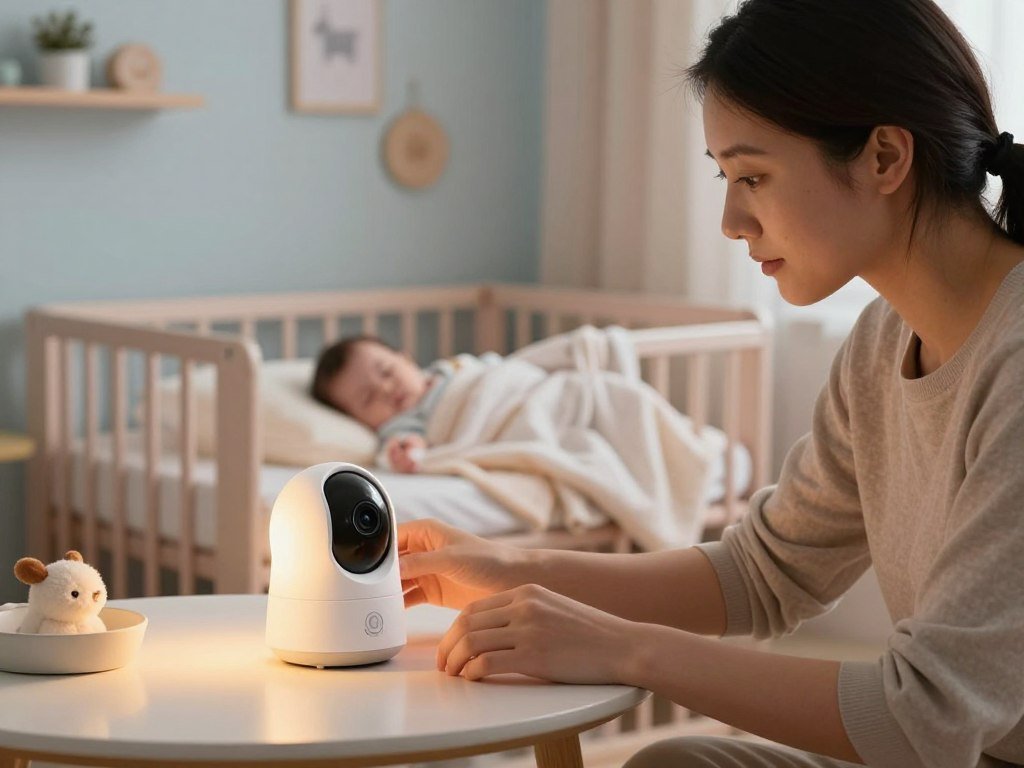
For families who want the best baby monitor with a camera, image and sound quality may matter more than extra tracking. The E21 does not include movement monitoring or phone VOX, a feature that can send sound alerts to a phone. Those limits matter if you specifically want movement alerts or phone-based sound notices.
Not every family needs those features. A camera-focused baby monitor can be enough when you mainly want to see and hear what is happening. Clear viewing may also make nighttime checks easier, since you can look in without turning on a bright room light.
The E21 suits families who value a live view and flexible camera control. It does not provide every kind of reassurance, and it should not be treated as a health monitor. Choose it for viewing and listening, not for movement or vital-sign alerts.
Best Baby Monitor No Wi-Fi: VTech Advanced HQ Max
The VTech Advanced HQ Max is the clearest fit here for a family that wants a dedicated screen and motion detection without Wi-Fi. Its 7-inch screen and 720p video give you a large local view. The system does not rely on an app for its basic monitor functions.
The large screen can be easier to glance at from across a room than a small parent unit. Motion detection adds an alert when the camera detects movement, while the camera feed gives you a view of the nursery. These features suit caregivers who want to keep monitoring separate from their phones.
The VTech Advanced HQ Max was listed at $89.95 in 2026 as a non-Wi-Fi monitor with motion detection. Its local setup can suit a home where app access is not a priority. It is also a practical choice if you want one screen that stays with the caregiver.
The trade-off is phone access. Without an app, families should not expect push notifications to a phone or remote viewing away from home. A dedicated screen also means you need to keep that parent unit charged and within its connection range.
The best baby monitor without Wi-Fi may be preferable for parents who want a separate screen and simple operation, not those who need remote phone access. Confirm that a dedicated screen is what you want before paying for features you will not use.
What Does a LeapFrog Baby Monitor Offer?
The LeapFrog LF2513 pairs a compact parent screen with a camera that can pan and tilt around the nursery. Its 2.8-inch LCD is much smaller than a 7-inch display. The camera offers a stated range of up to 1,000 feet and up to 12 hours of video streaming.
The camera’s pan-and-tilt movement can help you look across more of the room from the parent unit. Night vision supports viewing in a dark nursery, while two-way audio lets you speak through the system. A temperature sensor, soothing lullabies, and a color night light add room features that some families may enjoy.
Those extras can be handy when you want one device for a live view and simple soothing functions. The LF2513 also lists secure transmission, though that feature is not a promise of safety or a reason to skip normal account and device care. A temperature sensor reports a reading; it does not control the room.
A LeapFrog baby monitor is a separate product choice from app-based cameras. You get a parent unit rather than relying on a phone as the main display. The trade-off is screen size, which can affect how easily you see details from a distance.
Think about where you will place the unit and how often you will check its screen. A compact display can be easier to carry, but it shows a smaller image. Check that the 2.8-inch display gives you enough viewing area before choosing it over a larger screen.
What to Expect from a Baby Monitor with Camera and App
An app-based system can turn a spare phone or tablet into the nursery camera and another device into the parent station. A baby monitor with a camera and app can reduce the need for a dedicated parent unit, but it depends on compatible devices and a working connection. Bibino can use two phones, tablets, or computers for the two roles.
The camera device stays in the nursery, while the parent station receives the live feed and alerts. Bibino can connect over Wi-Fi or mobile data. That setup can help if you already own devices, though it also means you must keep the camera device powered and ready.
Turning two devices into a monitor
Start the app on one device as the camera and another as the parent station. A phone, tablet, or computer can fill either role, depending on compatibility. One parent station can monitor up to four babies at once, which may help a family caring for more than one child.
The app lists live HD video, motion detection, two-way voice, lullabies, notifications, and an activity log. That mix puts several tools on the phone, but a busy feature menu is only useful if you know which notices matter to you.
Features and limits of an app-based setup
Use this short setup checklist before you rely on an app overnight:
- Keep the camera device powered throughout the monitoring period.
- Confirm the Wi-Fi or mobile-data connection where each device sits.
- Test alerts before leaving the room or going to bed.
Unlike a dedicated-unit monitor, an app system relies on compatible personal devices. Your phone may receive other calls and notices while it is acting as the parent station. A working connection is also needed for the app’s live service.
Try the whole setup at the times and places you expect to use it. Check whether the screen stays active and whether sound comes through as expected. Test the app on the devices and network you plan to use before relying on it overnight.
Best Baby Monitors with Apps for Smart-Camera Features
Among these smart-camera options, the C260 offers the highest stated resolution, while the C230 adds cry detection and tracking with local storage. All four Tapo models list baby-cry detection and local storage through a separately sold microSD card. The listed core features do not require a mandatory subscription.
The app-connected cameras differ in detail, including video resolution, camera movement, and night vision range. Local storage can suit families who prefer a memory card over a paid cloud plan. The card itself is sold separately, so include it when planning the setup.
Tapo C230 and C260
| Model | Resolution and coverage | Notable camera or alert features | Storage and subscription terms |
|---|---|---|---|
| C230 | 3K, 360° horizontal, 114° vertical | Motion tracking, cry detection, two-way audio, infrared night vision to 40 feet | microSD up to 512GB, card sold separately; no mandatory subscription |
| C260 | 4K, 360° pan, 116° tilt | Up to 18x digital zoom, physical privacy shutter | Local microSD, card sold separately; no mandatory subscription |
| C210 | 2K video | Cry detection, two-way audio, motion tracking, infrared night vision to 30 feet | Local microSD, card sold separately; no mandatory subscription |
| C200 | 1080p, 360° pan-and-tilt | Cry detection, motion detection, two-way audio, night vision | Local microSD, card sold separately; no mandatory subscription |
Tapo C210 and C200
The C210 records in 2K, while the C200 records in 1080p. Both list cry detection and two-way audio, while the C210 also lists motion tracking and night vision up to 30 feet. These lower-resolution choices may be enough if you care more about alerts than maximum detail.
The C230 adds higher resolution than the C210, with motion tracking and a stated 40-foot night vision range. The C260 records in 4K and adds a physical privacy shutter. Each model offers local microSD storage, but the card is not included.
Compare alert behavior and storage before deciding that higher resolution is worth more. Choose resolution and privacy controls only after checking which alerts and storage method you will actually use.
Is Nanit the Right Choice for Sleep Tracking?
Nanit is a good fit when you will use sleep patterns and breathing-related movement information, not just glance at a live picture. The Nanit Pro combines 1080p video with an overhead view of the crib. Its tracking setup uses a patterned wearable band to read breathing-related movement.
The overhead view can show more of the sleep space than a camera placed at crib level. Nanit also offers sleep history and analytics, which can help you notice patterns over time. Families who only want a quick live view may not need that added information.
The patterned band is part of the breathing-related movement feature. It is not the same as a pulse or blood-oxygen reading, and it does not provide medical monitoring. A baby monitor can offer information, but it cannot replace safe-sleep practices or advice from a clinician.
Consider how you respond to data before choosing a tracking-focused system. Some parents find sleep history useful, while others may feel more worried after checking frequent updates. There is no benefit in collecting information that makes nights harder without changing your care routine.
The Nanit system suits families who expect to use sleep insights and are comfortable with an app-based setup and wearable band. Think about whether the information would help you make a choice or simply prompt more checking. Consider whether you will act on the sleep information before paying for a tracking-focused system.
When Does Owlet’s Dream Sock Fit?
Owlet’s Dream Sock is the option for caregivers who specifically want pulse and blood-oxygen readings for a healthy baby. The sock tracks pulse and blood oxygen, not breathing-related movement. That makes it different from systems that use a camera or band to detect movement.
The Dream Sock was FDA-cleared in 2026 and is intended for healthy babies. It is not meant for medical monitoring of preemies or babies with diagnosed conditions. FDA clearance does not make the sock a substitute for medical care or a clinician’s advice.
Caregivers may value having readings in an app, but numbers can prompt extra checking. Think about whether seeing pulse and oxygen information would help you stay calm or make you more anxious. The sock is a consumer monitoring choice, not a way to diagnose a health problem.
Keep the intended use in mind when comparing products. A healthy baby and a baby with a diagnosed condition have different monitoring needs, and a wearable cannot fill the role of a care plan. Do not use the Dream Sock to replace advice from the child’s clinician.
The Dream Sock may fit families seeking readings for a healthy baby, but the device is not for medical monitoring of preemies or babies with diagnosed conditions. Ask the child’s clinician about monitoring needs when a baby has a diagnosed condition or was born prematurely.
Why Choose Harbor for Privacy and Travel?
Harbor stands out for a family that wants a dedicated screen and a monitor that can work without Wi-Fi. Its core kit includes a 10-inch parent unit, and its core features need no subscription. Harbor was listed at $499 in 2026.
A large parent screen can be easy to check from across a room, and local operation may suit places where Wi-Fi is unavailable. Harbor also has a local backup mode, giving families another way to use the system when internet access is not part of the setup.
That combination may appeal to families who travel and prefer not to depend on an app for every view. Still, no monitor can promise a flawless connection on every trip. Your room layout, power access, and the way you pack the parent unit all affect how convenient it feels.
Harbor does not offer breathing tracking. Families looking for breathing-related movement or body readings will need to compare a different type of product. Its main appeal is a dedicated screen and operation without Wi-Fi, rather than health-related information.
The $499 listed price is a large upfront cost, so weigh the local setup against your actual travel plans. Check that the larger parent unit and $499 listed price fit your travel and nursery setup.
Are Wearable or AI Alerts Worth Considering?
A wearable can add movement alerts, while an AI camera can flag selected events in the video feed. These alerts can raise awareness, but they do not guarantee safety or prevent harm. The best fit depends on whether you want a movement-based device or camera-based notices.
A movement monitor detects movement associated with breathing. An AI camera instead uses video features to flag events such as a covered face or a cry. Neither type replaces your own care or medical advice.
Wearables that track movement
The Snuza Hero SE clips to a diaper and detects movement associated with breathing. Its portable design can suit families who want a wearable rather than a camera-based alert. It was listed at $120.
Its use is limited once a baby can roll over. That limit matters because a device can be convenient at one stage and less suitable later. Check the model’s age and use directions before relying on its alerts.
Some adults use wearables for their own wellness data, such as an Oura Ring for sleep and readiness. That ring is not an infant monitor, and adult wellness tracking does not measure a baby’s movement.
Cameras that add AI alerts
CuboAi Gen 3 records 2.5K QHD video and offers face-covering and rollover alerts. It also includes cry detection and up to 72 hours of playback. Those features may help you review events or receive notices tied to selected camera views.
AI alerts depend on what the camera can see and how the feature identifies an event. A covered view or missed event can limit what the system tells you. Treat each notice as a tool for awareness, not proof that a baby is safe.
Decide whether an alert is genuinely useful to you before adding another device or notification stream.
How Can You Check Security and Camera Placement?
Security checks should cover both who can access the feed and where the camera equipment sits in the nursery. Keep cameras, cords, stands, and accessories a safe distance from the crib. A connected feed and a physical setup call for different checks.
Consumer Reports tested more than a dozen Eufy, Nanit, Owlet, and VTech models in its lab in 2026. It reviewed public data-use documents, user interfaces, network traffic, and possible security vulnerabilities. Those areas can help you judge how a company handles information.
Review data handling and account controls
Read the company’s data-use information and learn which caregivers can view the feed. You can also check whether the app offers account controls and how the device receives software updates. A connected product is not risk-free, so use basic account protections.
Use this account checklist:
- Set a strong, unique password for the monitor account.
- Turn on available account protections.
- Limit feed access to trusted caregivers.
- Install software updates when they become available.
Privacy choices matter across many connected home products, including AI devices that may handle health data. Check how each brand handles personal information rather than assuming every product works the same way.
Keep the camera and cords away from the crib
Keep the camera, cords, stand, and accessories a safe distance from the crib. Mount cameras as their manuals direct, and do not treat an EMF reading as a safety test. The placement instructions for the specific model matter more than a general mounting idea.
Keep loose equipment outside the baby’s reach, including parts that may seem secure at first. Before the first night, confirm the camera and every cord, stand, and accessory are safely out of the crib area.
What Do Baby Monitor Prices and Subscriptions Include?
Compare the listed price with the exact feature you would have to pay monthly to access. A low upfront price can lead to a higher total cost when desired tracking or cloud features require a plan. Check both the device and the features you expect to keep using.
Prices and plan terms differ across products. Nanit and Owlet offer features tied to paid access, while Miku Pro lists breathing tracking behind a subscription. The figures below show why the monthly fee matters alongside the purchase price.
Compare the upfront price with recurring fees
| Product | Listed upfront price | Subscription detail |
|---|---|---|
| Nanit Smart Baby Monitor | $289 or more | Insights subscription; full AI features and cloud storage listed at $9.99-$24.99 per month |
| Owlet Dream Duo 3 | $379.99 | $9.99 monthly plan stated for similar access to AI features and cloud storage |
| Miku Pro | $249 | Breathing tracking requires a subscription |
Pay for features you expect to use
Before buying, review these four cost points:
- Camera and parent unit: check what comes in the box.
- Required accessories: include bands, mounts, or other needed parts.
- Recurring app or cloud plan: add the cost for the time you expect to use it.
- Features without a monthly fee: identify what works at no extra charge.
A subscription may matter if it unlocks the exact tracking or cloud service you want. A product with a lower upfront price may cost more over time if its key feature is subscription-gated. Compare the total you expect to spend, not only the price shown first.
Also consider how long you expect to use the monitor and whether you can stop the plan without losing a needed feature. Add the upfront cost and any plan you expect to keep before deciding which monitor fits your budget.
Is the BT Smart Baby Monitor Sold in the United States?
The BT Smart Baby Monitor with a 5-inch screen was not available to buy in the United States in 2026. U.S. shoppers should compare locally available dedicated-unit monitors instead of assuming an overseas model will be supported. Screen size alone does not show whether a product will fit your home or local power setup.
Look for models sold in the United States and compare screen size, connection type, and return terms. An overseas product may have different power needs or support options. Those details can affect daily use as much as the camera itself.
Use this checklist before planning around a monitor sold for another market:
- Confirm that the model is available to buy in the United States.
- Check power and support compatibility for your home.
- Review return terms before placing an order.
Do not assume an overseas model is easy to find, return, or service locally. Verify U.S. availability and support before making plans around a monitor sold for another market.
Conclusion
The best fit is the monitor you can set up safely and use comfortably night after night. Your family may want a clear picture, an app, sleep information, or a wearable reading, but extra tracking is not automatically better.
Start with the way you want to check the nursery and the information you will actually use. Then compare the full cost, setup, and limits of a few options that match those needs. A simple choice can be more useful than a longer list of alerts.
Before buying, write down your must-have connection type and two features, then compare only models that meet those needs.
FAQ
Can a baby monitor prevent SIDS?
Is an FDA-cleared baby monitor a medical device for every baby?
Can a Wi-Fi baby monitor work during an internet outage?
Are baby monitor apps safe to use?
Do I need a movement monitor if I already have video?
Can I use a phone as a baby monitor without buying a camera?