
Key Takeaways
-
Open-source tools for zero-cost launches
-
Crew center configuration strategies
-
vAMSYS vs vaBase detailed comparison
-
VATSIM network partner compliance
-
Long-term pilot community retention
Introduction
Ever looked up at the virtual skies in Microsoft Flight Simulator and thought, “I want to run my own fleet”?
Starting my virtual airline was honestly one of the most rewarding passion projects I ever took on.
It lets you blend a deep love for aviation with real-world strategy, web design, and community management.
Building my virtual airline isn’t just about picking a catchy name and publishing a few flight routes.
It involves setting up robust flight tracking, designing user-friendly dashboards, and keeping real human pilots engaged.
Whether you envision a small island-hopper operation or a global long-haul carrier, this guide breaks down every single step.
At PraviCeler, we specialize in structured digital systems, and launching a virtual flight organization follows that exact same organized framework.
AI Overview
Building my virtual airline requires selecting the right tracker, setting up a crew center, and managing pilots. Software like vAMSYS or vaBase automates flight logging and scheduling. To launch successfully, choose reliable tracking tools, follow VATSIM virtual airline requirements, and focus on community building.
Main Content
Planning Your Virtual Airline Concept
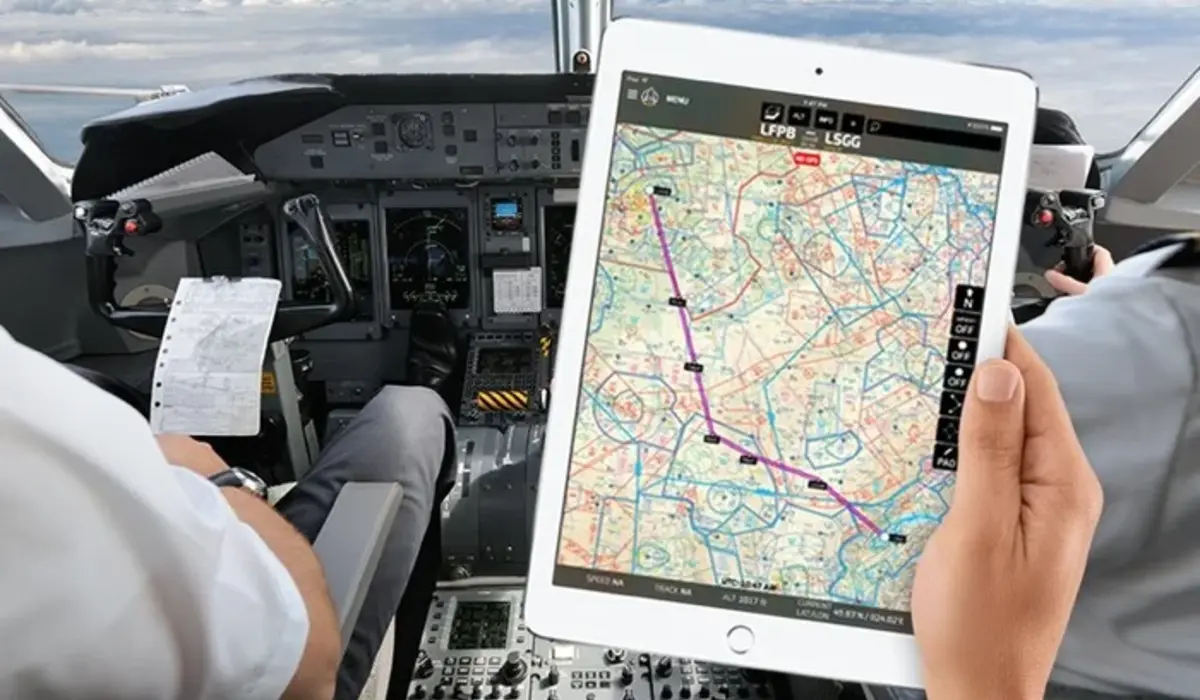
Before touching any web hosting or dispatch software, you need a clear operational blueprint.
What kind of experience do you want to offer your pilots?
Are you building a regional commuter line, a heavy cargo giant, or an historic vintage airline?
Fleet Selection and Route Networks
Your fleet choices directly dictate which flight simulation enthusiasts will join your group.
If you offer only massive widebody jets, you might miss pilots who love short-runway turboprop flights.
Try starting with a focused fleet of two or three aircraft types.
This keeps your initial scheduling manageable and avoids overwhelming new recruits.
Target Simulator Platforms
You must decide which simulators your tracking systems will officially support.
Most modern virtual aviators look for the best virtual airlines for MSFS due to its incredible visual fidelity.
However, supporting older platforms like X-Plane or Prepar3D expands your potential pilot base significantly.
Ensure your route network mirrors real-world flight durations so pilots can choose trips that fit their schedules.
Understanding Virtual Airline Tracker Software
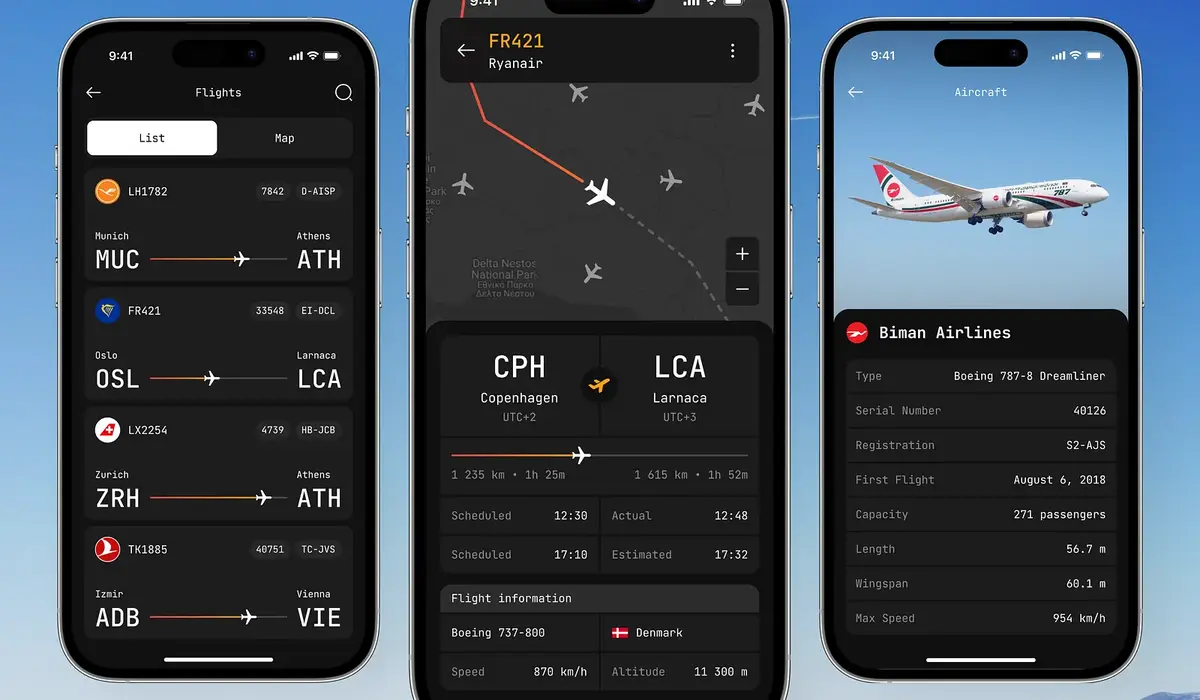
Your automated tracking system serves as the technical spine of your entire operation.
It automatically captures pilot telemetry, records landing forces, and logs total flight hours.
Without reliable virtual airline tracker software, you would have to verify manual pilot reports by hand.
Nobody running a modern flight community has time for that tedious paperwork!
Essential Features of a Reliable Tracker
A high-quality virtual airline tracker software client must run quietly in the background without causing frame drops.
It should accurately record fuel burn, route deviations, pause times, and touchdown rates.
When evaluating virtual airline tracker software, look for tools that automatically detect route completion.
This prevents pilots from submitting fake logs or skipping waypoint checklists.
Automated Logging vs Manual Pilot Reports
Automated logging builds trust across your community leaderboard.
Every pilot knows their peers are flying full routes under equal simulation conditions.
Using modern virtual airline tracker software also reduces server database corruption and eliminates manual data entry mistakes.
A smooth virtual airline tracker software interface keeps pilots focused on flying rather than troubleshooting technical glitches.
Evaluating Platforms: vAMSYS vs vaBase for Flight Sim

When setting up management infrastructure, owners inevitably face the vAMSYS vs vaBase for flight sim decision.
Both systems are powerful, but they follow fundamentally different operational philosophies.
Understanding the nuance in vAMSYS vs vaBase for flight sim setups helps you pick the right engine for your growth.
| Feature | vAMSYS | vaBase |
| Hosting Model | Fully hosted cloud environment | Self-hosted database & web server |
| Setup Complexity | Plug-and-play configuration | Requires web hosting & SQL knowledge |
| Customization | Standardized templates & layouts | Full control over HTML, CSS, & PHP |
| ACARS Integration | Native Pegasus ACARS client | Modular support for multiple loggers |
| Cost Model | Tiered subscription / usage fee | Free base tier with optional add-ons |
Architecture and Customization Options
If you want a polished dashboard ready in an afternoon, vAMSYS is extremely hard to beat.
It handles server maintenance, updates, and ACARS client compatibility automatically.
However, examining vAMSYS vs vaBase for flight sim options reveals that vaBase provides unmatched layout freedom.
If you know how to write custom code, vaBase allows you to design a completely bespoke web portal.
Cost Structures and Maintenance Effort
For new owners on a tight budget, comparing vAMSYS vs vaBase for flight sim hosting expenses is critical.
vaBase can run on inexpensive shared web hosting, making it very budget-friendly.
Meanwhile, vAMSYS charges based on active pilot volume or premium feature access.
Whichever side you take in the vAMSYS vs vaBase for flight sim debate, ensure your staff can maintain the system comfortably over time.
How to Create a Virtual Airline Free
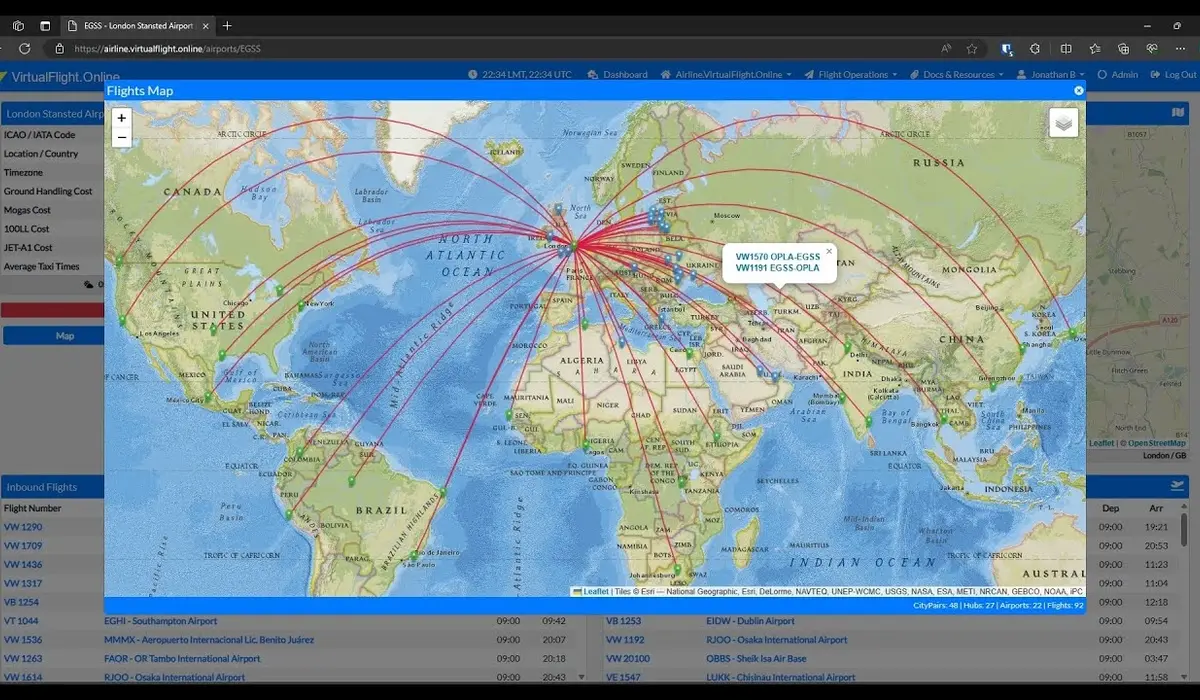
Can you build a full-featured aviation hub without spending hundreds of dollars?
Yes, learning how to create a virtual airline free simply requires leveraging open-source web tools and free community platforms.
Setting Up Open-Source Tools
-
phpVMS Core: The premier open-source flight management platform for self-hosted communities.
-
Free Web Hosting: Shared hosting providers offering free MySQL databases and PHP support.
-
Discord Server: Free voice, text, and announcement hub for pilot communications.
-
Open ACARS Clients: Free flight recording tools compatible with open-source management scripts.
When you create a virtual airline free, phpVMS acts as your primary database engine.
It manages pilot rosters, flight schedules, aircraft registrations, and financial ledgers without licensing costs.
Managing Zero-Cost Operations
Many successful community founders who create a virtual airline free start with free domains and community subdomains.
As your active pilot roster grows, you can always migrate your database to dedicated servers later.
Learning to create a virtual airline free teaches you valuable skills in database management and web layout design.
Anyone can create a virtual airline free if they are willing to spend time reading setup documentation and testing configurations.
Designing a Seamless Flight Simulator Crew Center Setup
Your crew center is the digital home where pilots spend their time between flights.
A confusing layout drives new recruits away, while an intuitive dashboard keeps them coming back every day.
Simplifying Schedule Bidding and Dispatch
During your flight simulator crew center setup, make sure searching for available flights is completely effortless.
Pilots should be able to filter routes by departure airport, arrival airport, aircraft type, or flight duration.
Integrating SimBrief directly into your flight simulator crew center setup allows pilots to generate real flight plans with one click.
This saves time and gives your operations a professional, real-world airline feel.
Live Telemetry and Progression Systems
A complete flight simulator crew center setup features live radar maps showing all active airborne flights in real time.
It should also include rank advancement systems based on logged flight hours or landing performance.
Testing every button in your flight simulator crew center setup before launching prevents pilot frustration during their first flight assignment.
As we highlight at PraviCeler, smooth user interfaces lead directly to higher user engagement and long-term activity.
An organized flight simulator crew center setup turns casual simmers into dedicated, long-term staff members.
Mastering VATSIM Virtual Airline Requirements
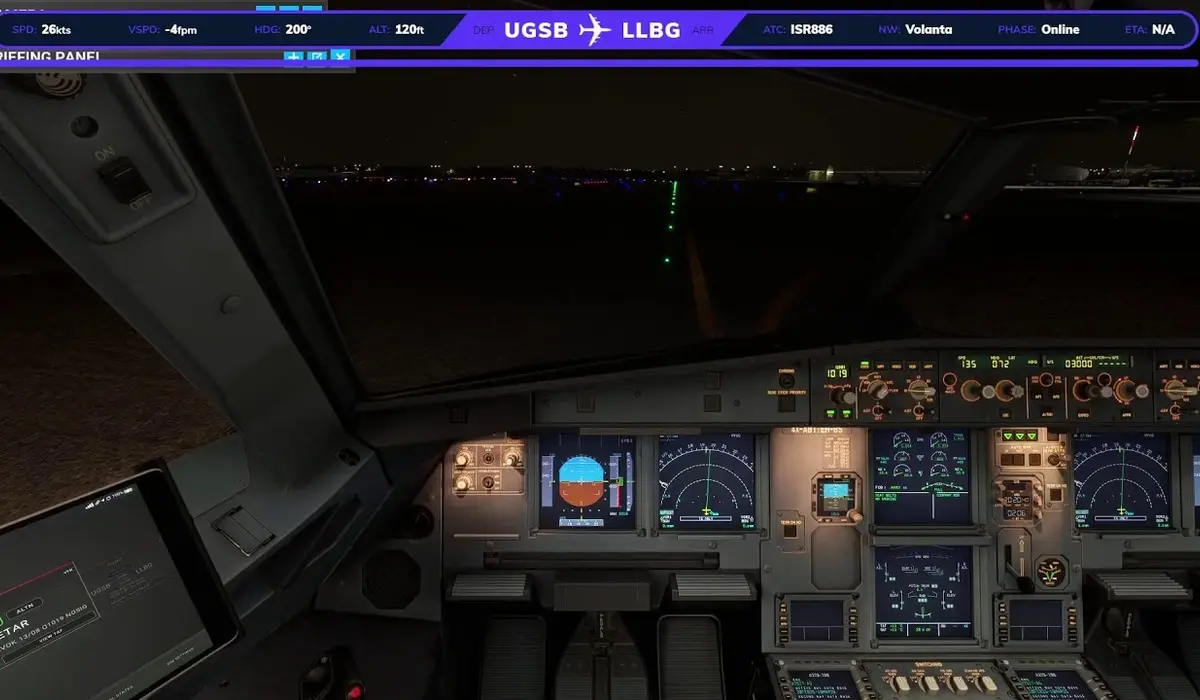
Taking your fleet onto online air traffic control networks like VATSIM brings unmatched realism.
However, you must strictly satisfy official VATSIM virtual airline requirements to gain recognized partner status.
Application Standards and Roster Audits
-
Active Roster: Minimum of 10 active pilots with recent, verifiable network flight activity.
-
Operational Website: Fully functioning domain with accessible flight schedules and roster pages.
-
Clear Guidelines: Published SOPs (Standard Operating Procedures) and network conduct rules.
-
Active Management: Designated staff contacts available for network coordination and audits.
Understanding these VATSIM virtual airline requirements ensures your application moves smoothly through the review team.
VATSIM auditors carefully inspect your roster to verify that listed pilots are real human members flying on the network.
Maintaining Network Compliance
Meeting VATSIM virtual airline requirements is not a one-time task; you must maintain active flights to keep your status.
If pilot activity drops below minimum thresholds, your partner organization status can be suspended.
Fulfilling all VATSIM virtual airline requirements shows the flight sim community that your organization is stable and well-managed.
Adhering to VATSIM virtual airline requirements also grants your pilots permission to use custom callsigns on the network.
Ranking Among the Best Virtual Airlines for MSFS
Microsoft Flight Simulator has brought millions of new aviation fans into the simulation hobby.
To stand out among the best virtual airlines for MSFS, you must offer features tailored specifically to this modern platform.
Custom Liveries and Visual Assets
The top operators recognized among the best virtual airlines for MSFS provide ultra-detailed custom liveries for popular aircraft.
Providing drag-and-drop livery packages for default and third-party jets makes joining your community easy for beginners.
If you want to compete with the best virtual airlines for MSFS, publish high-resolution liveries for aircraft like the A320, B737, and regional jets.
Clear installation guides for your livery files reduce support tickets in your community channels.
Real Weather and Event Integration
Top groups listed as the best virtual airlines for MSFS host weekly group flights featuring custom scenery and challenging weather conditions.
Pairing custom flight routes with live ATC events creates unforgettable experiences for your community.
Placing your team alongside the best virtual airlines for MSFS requires consistent event planning and fast technical support.
Our team at PraviCeler knows that building a recognizable brand requires consistency, quality visuals, and active audience interaction.
Long-Term Management and Community Retention
Launching your group is only the first chapter of the story.
When I launched my virtual airline, I quickly realized that holding pilot interest over months and years takes continuous effort.
Building an Inclusive Culture
Running my virtual airline taught me that community atmosphere matters far more than custom code.
Welcome new pilots warmly, answer setup questions patiently, and celebrate their flying milestones.
Create fun pilot achievements like “Cross the Atlantic” or “Land at High-Altitude Airports” badges.
Managing my virtual airline effectively means listening closely to pilot suggestions and updating flight schedules regularly.
Adapting to New Sim Innovations
Keep your fleet rosters updated as new third-party aircraft enter the market.
When a popular new airliner releases, add matching routes to your dispatch system immediately.
This keeps your schedules fresh and gives experienced pilots exciting reasons to log more hours.
Focusing on steady, sustainable growth ensures your flight community stays active for years to come.
Conclusion
Building and managing my virtual airline requires patience, clear planning, and reliable software choices.
By selecting the right virtual airline tracker software, building an intuitive flight simulator crew center setup, and adhering to network guidelines, you can create an incredible home for flight simulation enthusiasts.
Keep your focus on pilot enjoyment, maintain steady communication, and enjoy watching your virtual fleet take to the skies!
Frequently Asked Questions
How much does it cost to start a virtual airline?
Costs range from completely free using open-source platforms like phpVMS on free hosting to $20–$50 per month for managed platforms like vAMSYS, custom web domains, and premium database servers.
Which tracker software is easiest for beginners?
vAMSYS is generally considered the easiest turnkey solution for beginners because it provides hosted servers and automated ACARS tracking without requiring web development or database coding skills.
Can I run a virtual airline on Xbox for MSFS?
Yes, but tracking options are limited. Xbox console limitations prevent custom ACARS tracking software from running locally, so console pilots usually must submit manual flight logs through web forms.
How many pilots do I need to join VATSIM?
VATSIM generally requires a minimum of 10 active, registered pilots who actively log network hours, along with a functional website and clear operating procedures before granting official partner approval.