Subscription tracking apps help you find recurring charges, see upcoming renewals, and decide which services still deserve a place in your budget.
The savings come from the decision afterward: canceling an unused plan, removing duplicate tools, or avoiding a renewal you no longer need.
A subscription rarely looks expensive when you buy it. The problem becomes visible when streaming, cloud storage, newsletters, fitness, and software all arrive in the same month.
Some charges are essential. Others belong to a project you finished six months ago.
These 10 apps offer different ways to organize that picture. Some identify recurring payments from connected accounts. Others rely on a list you maintain yourself.
Product information reviewed in November 2026. This is a research-based comparison rather than hands-on testing. Features, prices, device support, and regional availability can change.
Key Takeaways
- Tracking, renewal reminders, and cancellation assistance are different features.
- Automatic detection depends on the accounts and transactions the app can access.
- Manual trackers can work without a supported bank connection.
- Record the actual renewal amount and date alongside any monthly equivalent.
- Removing an entry from a tracker does not cancel the underlying service.
- Count savings only after a charge is genuinely avoided.
Which Subscription Tracking Apps Should You Compare?
Choose the method you are most likely to maintain.
If you want help discovering charges, investigate connected-account tools. If you already know your subscriptions and mainly forget renewal dates, a manual tracker may be enough.
| App | Approach | Main reason to compare it |
| Rocket Money | Connected-account tracking and manual additions | Find recurring charges and examine paid cancellation help |
| Bobby | Dedicated subscription tracker | Keep a focused subscription list on iPhone |
| Subby by SLAPP | Subscription records and reminders | Track renewals without a bank login |
| TrackMySubs | Subscription records, alerts, and calendar | Organize services and currencies |
| Hiatus | Subscription and bill management | Review tracking and available cancellation assistance |
| Monarch | Recurring items within broader finances | Connect subscriptions with household spending |
| Quicken Simplifi | Recurring bills and subscriptions | See renewals alongside projected cash flow |
| PocketGuard | Recurring-payment tracking | Account for subscriptions in spending calculations |
| Lunch Money | Configurable recurring items | Handle different schedules within a budget |
| Subtrack, App Store ID 1519946553 | Apple-device subscription tracker | Review reminders, sync, and exports |
The exact app matters: several unrelated products use similar names, particularly Subby and Subtrack.
1. Rocket Money: Start With Recurring-Charge Discovery

Rocket Money detects subscriptions from supported linked accounts and also allows manual additions.
Its free tier includes subscription tracking. Cancellation assistance is among its paid features.
That makes it worth comparing if the first problem is discovering what you are paying for.
Review detected items against statements. A charge on an unconnected account may still need adding, and a recurring payment is not automatically an unwanted subscription.
Useful test: Find one known monthly charge and one annual charge. Check whether both appear accurately and what happens if you request cancellation help.
2. Bobby: Keep a Focused Subscription List

Bobby is an iPhone subscription-tracking app available with in-app purchases.
It is worth exploring if you want a dedicated list rather than a broader financial dashboard.
The value of a manual record depends on accurate entries. Add the real price and billing cycle, then update them when a promotion ends or a provider changes its price.
Check the current limits and notification features in your local App Store listing.
Useful test: Add a subscription with an approaching renewal and confirm how the app presents the amount and date.
3. Subby by SLAPP: Track Renewals Without Linking a Bank

Subby by SLAPP is a subscription tracker and bill-reminder app. Its current product materials describe a workflow without a bank login.
That can be useful when your bank is unsupported or you prefer to maintain a separate subscription record.
Verify the developer and store listing because similarly named apps exist.
A reminder is a prompt to act. It does not establish that the service was paid or canceled unless your records reflect that correctly.
Useful test: Add monthly and annual plans, enable notifications, and check the current backup options.
4. TrackMySubs: Organize Services and Renewal Alerts
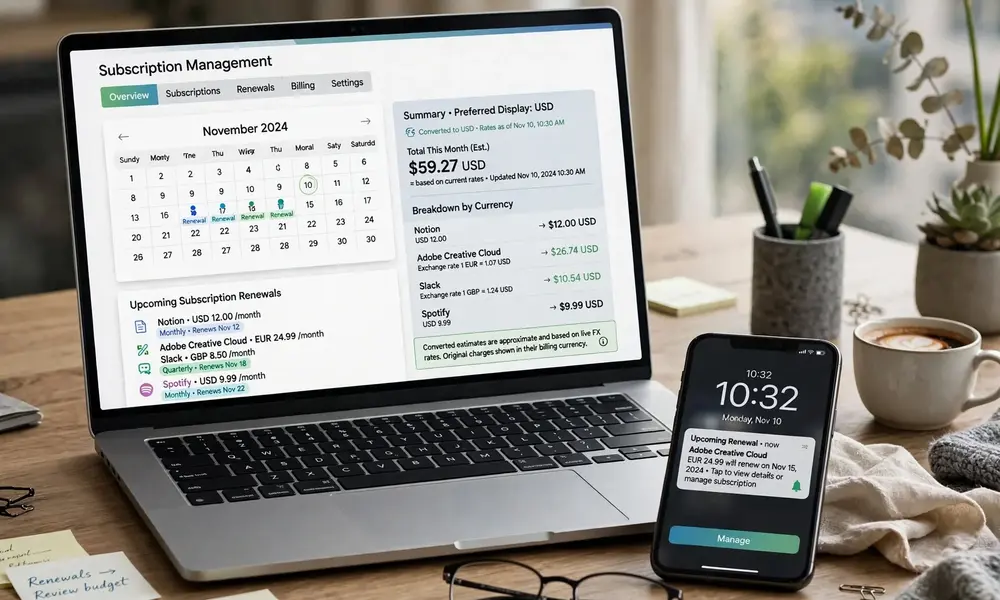
TrackMySubs offers subscription records, alerts, a calendar, and currency conversion into a preferred display currency.
It may suit someone with a mix of personal services and work tools.
Keep the distinction between the tracker’s converted estimate and the actual amount charged by your payment provider.
The record can also include a practical review note, such as which project needs the service or who uses it. Confirm which fields your chosen plan supports.
Useful test: Add a foreign-currency renewal and set an alert early enough to review the account before billing.
5. Hiatus: Compare Tracking With Available Assistance
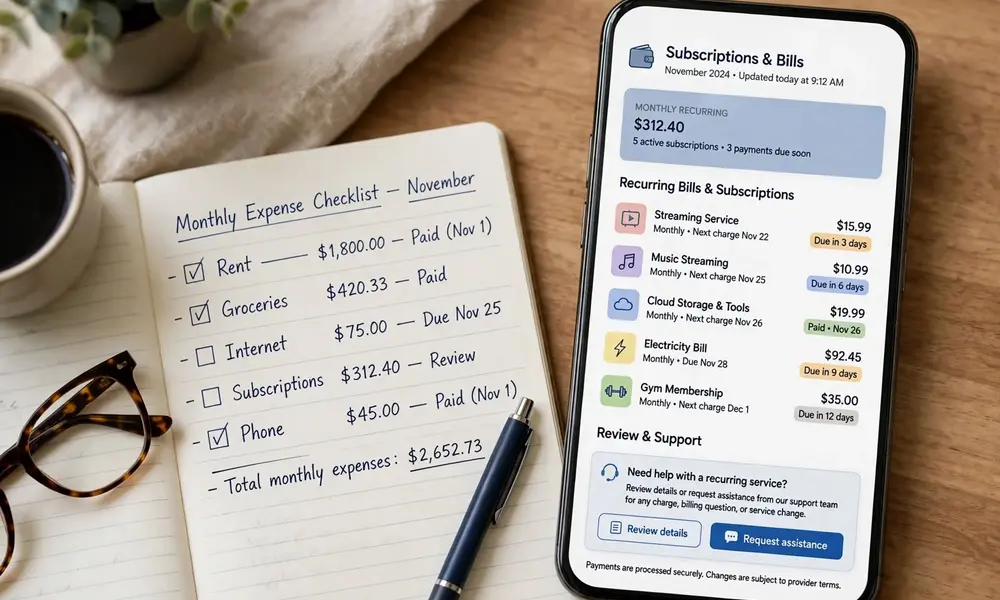
Hiatus offers subscription and recurring-charge management, including cancellation assistance for supported services.
It is worth examining if you want help beyond maintaining a list.
Check current availability, supported institutions, subscription costs, and the terms attached to any additional service. Tracking and assisted cancellation may have different requirements.
Do not treat a submitted request as proof that the underlying provider has ended the plan.
Useful test: Review one tracked subscription and establish what the app can do, what you must do, and how completion is confirmed.
6. Monarch: Review Subscriptions in the Household Picture
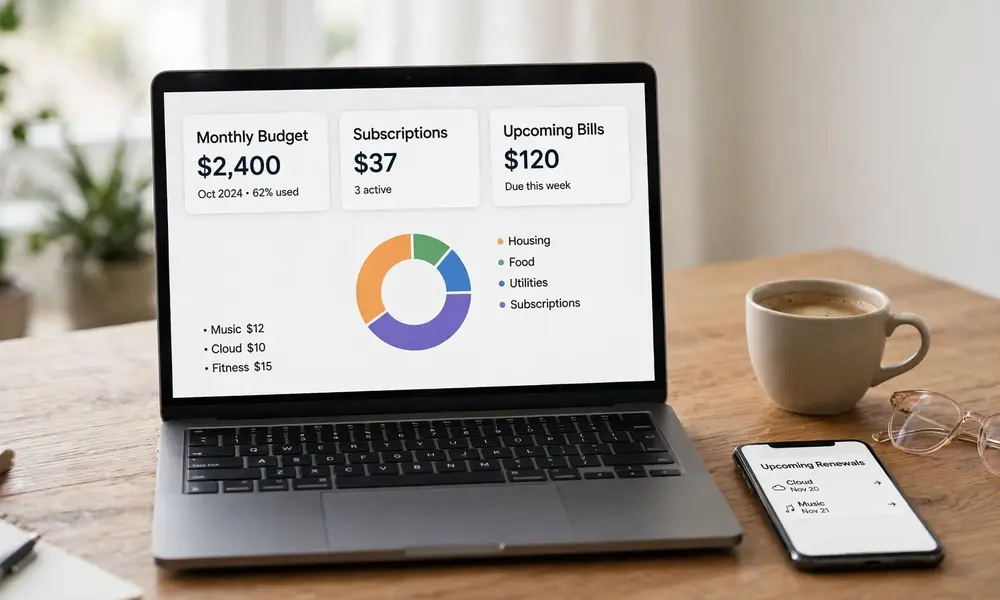
Monarch includes a recurring calendar and list for subscriptions and other repeating transactions.
It attempts to identify recurring items from account activity and supports manual recurring entries.
It can be useful if you already want broader household budgeting. A renewal then appears alongside bills and other financial commitments.
If you only need a few reminders, compare the subscription price with a simpler tool before adding a full financial platform.
Useful test: Review detected recurring items and check how a changed amount or unmatched payment appears.
7. Quicken Simplifi: Connect Renewals With Cash Timing
Quicken Simplifi tracks recurring bills and subscriptions, with detection from connected account activity and options to manage recurring series.
Upcoming items can appear in its bills and projected cash-flow views.
That is relevant when renewals cause timing problems rather than outright overspending.
An annual charge may be affordable overall but arrive in the same week as several large bills. Seeing the schedule can help you prepare.
Useful test: Add an annual subscription and inspect the period around its next renewal.

8. PocketGuard: Include Subscriptions in Spending Calculations
PocketGuard offers recurring-payment tracking, including detection and manual bill setup.
Its documentation explains how recurring bills affect its remaining-money calculation.
It may suit someone who wants subscriptions considered alongside everyday spending.
Review transaction matching carefully. PocketGuard notes that an upcoming bill and a category budget can temporarily both affect calculations before the matching payment is received.
Useful test: Follow a subscription from its expected charge through the posted transaction and confirm how the figures adjust.
9. Lunch Money: Handle Different Recurring Schedules
Lunch Money supports recurring items with configurable schedules, start and end dates, and transaction matching through rules.
That can help when subscriptions have different billing cycles or only run for part of the year.
It is worth considering if you already need a broader budget, particularly one involving different currencies.
Keep the expected schedule aligned with the provider’s actual terms. A predicted item should not hide a price change or failed payment.
Useful test: Create a temporary recurring item and check that its end date produces the expected schedule.
10. Subtrack: Compare an Apple-Device Tracker
The Subtrack app identified by App Store ID 1519946553 lists subscription reminders, iCloud sync, insights, and export capabilities.
The identifier helps distinguish it from unrelated apps with nearly identical names.
It is worth examining if you want a subscription record within the Apple ecosystem.
Check the current local listing for device compatibility, purchases, and feature availability. Then verify that reminders work under your notification settings.
Useful test: Add a service, set a reminder, and export a record you can read outside the app.
How Can You Decide What to Keep, Pause, or Cancel?
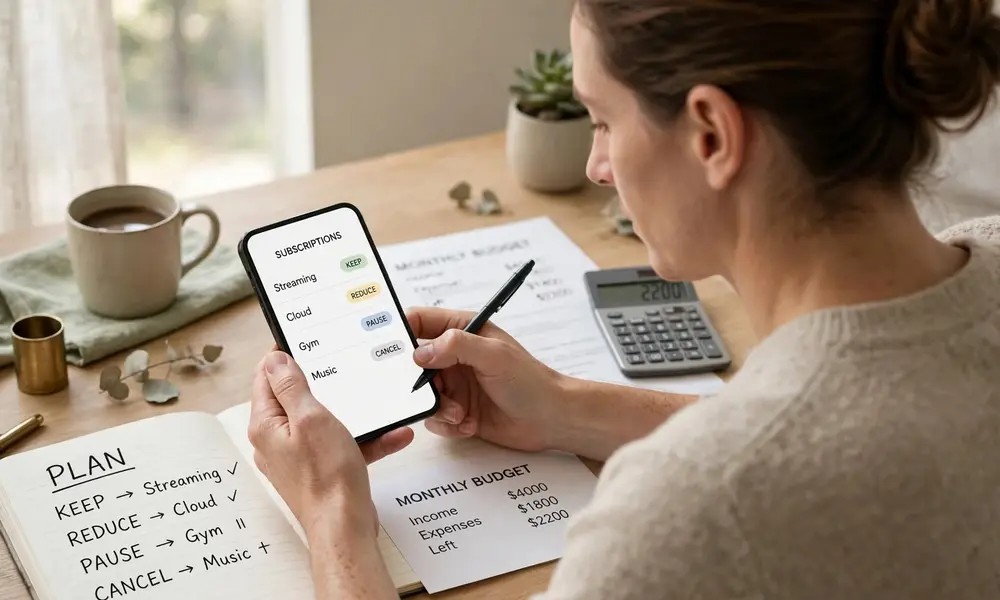
Give every subscription one of four decisions: keep, reduce, pause, or cancel.
Keep services that provide clear current value. Reduce plans where a cheaper tier meets your needs. Pause seasonal services where permitted. Cancel subscriptions that no longer justify their cost.
Ask three questions:
- When did I last use it for something meaningful?
- Does another service already cover the same need?
- What would happen if I stopped paying?
The third question matters for work tools. Check data access, exports, storage, and client commitments before ending a service.
A cheap subscription can be worthwhile. An expensive one can also be worthwhile. Unexamined spending is the issue.
How Much Could a Subscription Review Actually Save?
Separate recurring savings from one-time avoidance.
Consider this hypothetical review:
| Decision | Cost avoided | Annual effect |
| Cancel an unused monthly service | $14 per month | $168 |
| Downgrade a software plan | $8 per month | $96 |
| Avoid an unnecessary annual renewal | $72 once | $72 |
| Gross first-year avoided charges | $336 | |
| Illustrative annual tracker cost | −$24 | |
| Net first-year benefit | $312 |
These figures are examples, not promised results.
If you later restart a service, revise the savings record. If cancellation takes effect after another billing cycle, count only the charges actually avoided.
Why Should You Track Annual Renewals Separately?
An annual subscription costing $120 has a $10 monthly equivalent, but it still requires a $120 payment on the renewal date.
The monthly equivalent helps compare ongoing cost. The actual charge helps plan cash.
Record both, together with the cancellation deadline. Where notice is required, that deadline may be earlier than the renewal date.
The same principle applies to introductory offers. Track what you paid initially and what the next renewal will cost.
What Should You Check Before Trusting an App?
- The exact developer and app identity.
- Whether tracking is automatic, manual, or a combination.
- Your bank and country support where connections are needed.
- Notification permissions and reminder timing.
- Billing cycles and currencies.
- Export and backup options.
- Subscription or in-app purchase costs.
- Permissions requested.
- What cancellation assistance actually includes.
- How you will verify that a service has ended.
After canceling, retain the confirmation and review later statements. Uninstalling an app or deleting a tracker entry does not cancel the service.
Frequently Asked Questions
Can subscription tracking apps cancel everything automatically?
No. Some provide assistance for supported services; others only track records and send reminders. Confirm the limits before relying on them.
Can a tracker find every subscription?
Do not assume so. Connected tools depend on available account activity, while manual tools depend on what you enter. Check app-store subscriptions and annual receipts as well.
Which approach works without Pakistani bank connections?
A manual tracker can organize renewal dates without a direct bank connection. Verify app availability, currency support, notifications, and purchases locally.
Is switching to annual billing always cheaper?
It may reduce the stated price, but it also commits more money upfront. Compare expected usage, cancellation terms, and the chance you will stop needing the service.
Will replacing my card cancel subscriptions?
Do not rely on that. End the subscription through the provider’s required process and keep confirmation.
Make the Renewal Earn Its Place
At Weird Wealth, we would use the tracker to create a short, regular review.
Find the charge, understand the terms, and decide whether the service still supports your life or work. Then act before the relevant deadline.
The useful result is a smaller set of subscriptions you understand and choose to keep.