Key Takeaways
-
Best-fit tools for different team workflows
-
Simplified task and budget tracking
-
Top solutions for agile environments
-
Easy ways to improve productivity
Have you ever looked at your team’s to-do list and felt a headache coming on?
We have all been there, staring at chaotic chains of messages and lost attachments.
Managing work shouldn’t feel like a second full-time job.
In this guide, we will look at the 20 Best Project Management Software options to bring order to your daily work.
Choosing the right fit can feel overwhelming with hundreds of options out there.
While there are thousands of task management apps out there, we only picked the ones that truly excel.
Let’s dive straight into the platforms that can help you reclaim your time.
AI Overview
This direct, human-written guide reviews the 20 Best Project Management Software of 2026 to help you choose wisely. Based on real-world testing, we highlight the top platforms for simplicity, budget, and flexibility. Whether you need structured workflows or simple task boards, this clean overview helps you find the perfect system to boost your team’s daily productivity.
The 20 Best Project Management Software of 2026
Below is our handpicked list of the best solutions available today.
We have broken down what makes each option unique to help you make a smart choice.
1. Monday.com
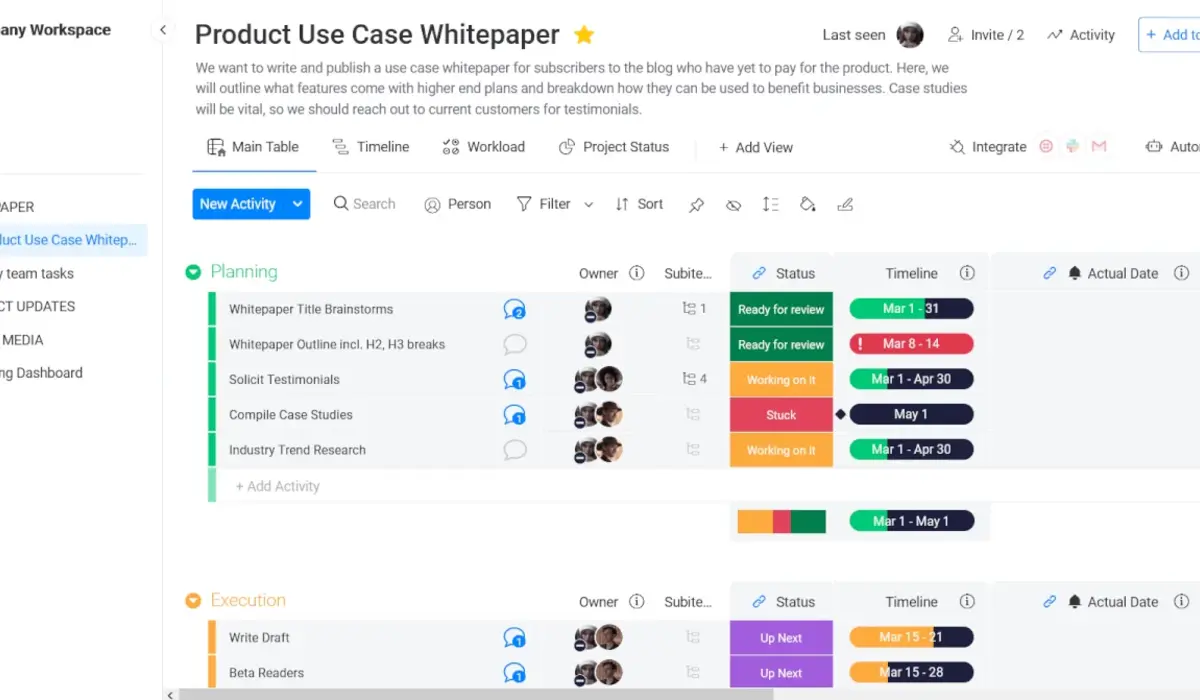
If you love colorful, visual interfaces, this platform might be your new favorite tool.
It makes managing your day feel more like a game and less like a spreadsheet.
Monday.com Pricing: Generally starts around $9 per user monthly.
The system is highly customizable and lets you build custom workflows without coding.
It is widely considered the best PM software for teams that love visuals.
It works beautifully as a central hub for various project tracking tools that teams use daily.
2. ClickUp
Known as the “everything app,” ClickUp packs an incredible number of features into one place.
You can manage docs, goals, and chats without leaving your workspace.
It serves as one of the most comprehensive task management apps on the market today.
ClickUp Pricing: Free plan available; paid tiers start around $7 per user.
The sheer number of options can feel a bit overwhelming at first.
But once you customize it, it really can replace multiple other subscriptions.
3. Asana
Asana is legendary for its clean design and smooth user experience.
It excels at turning massive, complex goals into small, bite-sized tasks.
Asana Pricing: Paid plans start around $10.99 per user monthly.
It stands out as some of the most reliable team collaboration software you can buy.
The timeline and workload views help managers keep everyone from burning out.
If you want something your team will actually enjoy using, this is it.
4. Trello
Trello is the ultimate champion of simplicity and visual Kanban boards.
If you just want to drag cards from “To Do” to “Done,” look no further.
It is incredibly easy to teach to new hires and external clients.
Trello Pricing: Free basic tier; paid plans start around $5 per user.
While it lacks deep advanced budgeting, it is great for basic project tracking tools.
It keeps things wonderfully simple for small teams.
5. Jira
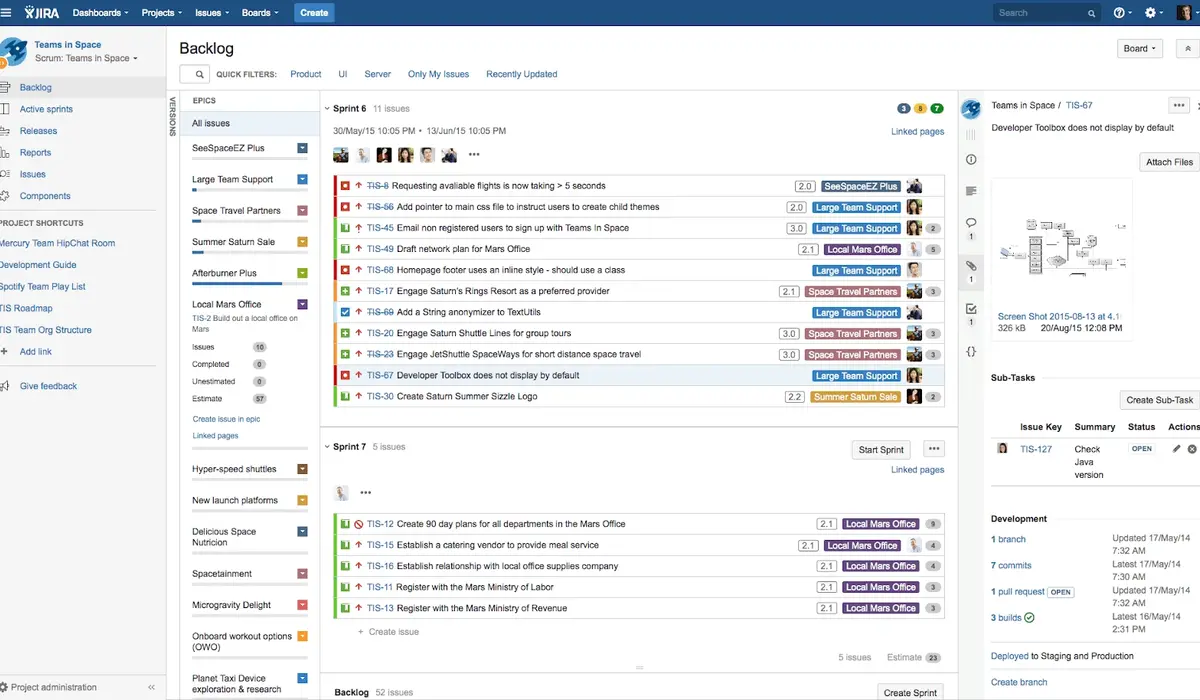
For software developers, Jira is the undisputed heavyweight champion of the world.
It is built specifically to handle sprint planning and bug tracking.
Jira Pricing: Free for up to 10 users; paid plans start around $8 per user.
It is packed with agile project management tools like burndown charts and scrum boards.
It can be complex for non-technical teams, but it is unmatched for engineering.
6. Wrike
Wrike is designed for larger organizations that need serious power and deep analytics.
It offers real-time resource management and robust proofing tools.
Wrike Pricing: Team plans start around $9.80 per user monthly.
It is highly customizable and handles complex, multi-layered timelines with ease.
It also works nicely alongside other team collaboration software in your stack.
7. Smartsheet
If your team refuses to give up spreadsheets, Smartsheet is the perfect compromise.
It looks like Excel but acts like a powerhouse database.
Smartsheet Pricing: Paid plans start around $9 per user monthly.
You can build formulas, track massive budgets, and automate simple actions easily.
It is estimated that data-heavy teams save hours using its cell-linking features.
8. Notion
Notion is a beautiful blank canvas that combines documents, wikis, and tasks.
It is a favorite for creative groups and individuals who love building custom systems.
Notion Pricing: Free personal use; team plans start around $8 per user.
It is one of the most flexible task management apps available.
You can design it to look exactly how your mind works.
9. Basecamp
Basecamp takes a unique approach by focusing heavily on calm, async communication.
It groups chat, message boards, to-do lists, and files in one clean space.
Basecamp Pricing: Flat pricing options make it highly predictable.
It is great for avoiding notification fatigue and keeping work peaceful.
For small companies, it is one of the best PM software for teams who hate constant pings.
10. Zoho Projects
Looking for excellent value on a tight budget?
Zoho Projects offers deep functionality without the premium price tag.
Zoho Projects Pricing: Extremely affordable, starting around $4 per user.
It stands out as the best PM software for teams that need a high-performance system on a budget.
It includes built-in time tracking and interactive Gantt charts.
Quick Pause: Finding the 20 Best Project Management Software is only half the battle. If your team is struggling to adopt new habits, a change in software won’t magically fix everything. It takes clear processes and gentle onboarding to make any tool stick. That is why platforms like PraviCeler focus so heavily on helping teams align their everyday workflows before they ever write their first line of code.
11. Teamwork
Teamwork is built specifically for client-facing agencies and service providers.
It helps you track billable hours, manage client permissions, and run invoices.
Teamwork Pricing: Paid plans start around $6 per user monthly.
It is highly rated for preventing project scope creep and keeping clients happy.
It is a strong contender for the best PM software for teams who manage external partners.
12. ProofHub
ProofHub keeps things simple by putting all your essential tools under one roof.
It replaces multiple subscriptions with flat-rate pricing.
ProofHub Pricing: Flat monthly pricing with no per-user fees.
It includes proofing tools, custom roles, and visual Gantt charts.
It is a great fit for growing teams that do not want their software bill to rise every month.
13. Paymo
Paymo is an all-in-one tool that shines at tracking time and invoicing clients.
It is particularly popular with freelancers and small creative agencies.
Paymo Pricing: Free plan available; starter paid plans are budget-friendly.
It brings your task boards, timesheets, and invoices into a single window.
It makes keeping up with daily project tracking tools effortless.
14. MeisterTask
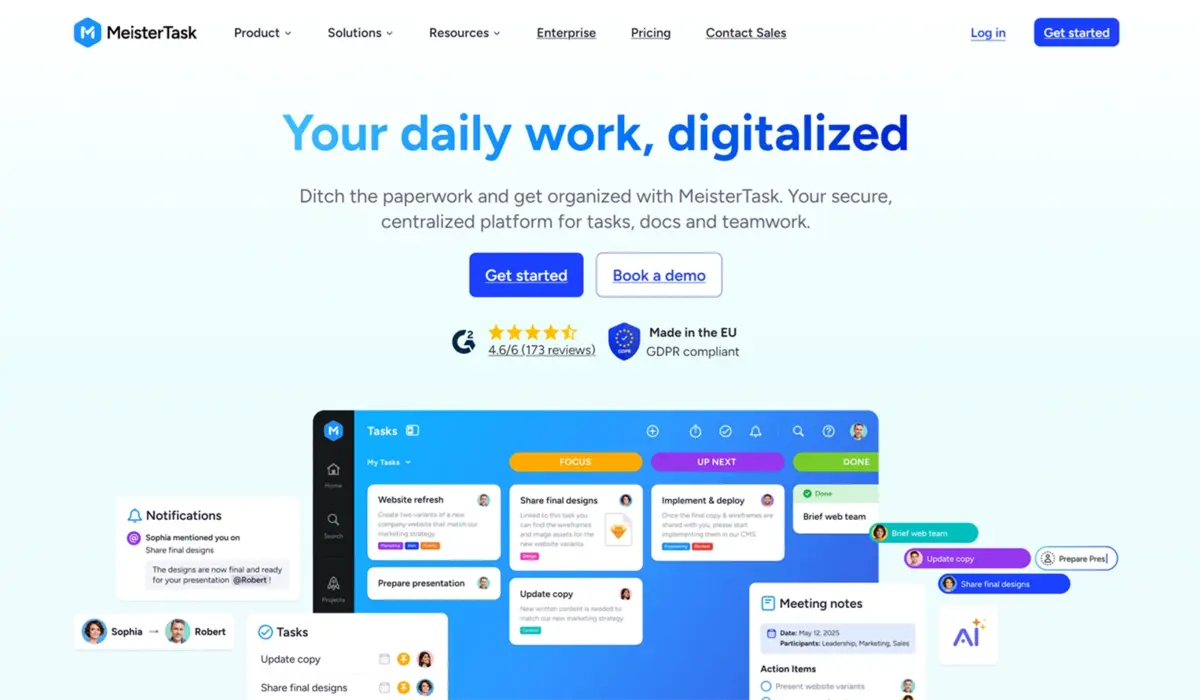
MeisterTask is a beautifully designed, secure Kanban board system.
It focuses on keeping task management clean and completely distraction-free.
MeisterTask Pricing: Basic plans are free; pro tiers start around $12 monthly.
It is highly secure and complies with strict European privacy standards.
It is a simple, visual choice for teams that do not need bloated enterprise features.
15. Podio
Podio is a highly customizable database platform owned by Citrix.
You can build custom apps inside it to track absolutely anything.
Podio Pricing: Paid plans start around $11.50 per user monthly.
It is fantastic for teams that want to build bespoke internal tools.
It acts as a central hub for team collaboration software and internal communications.
16. Scoro
Scoro is a premium, end-to-end business management solution.
It covers everything from sales pipelines and budgets to tasks and time.
Scoro Pricing: Premium pricing, starting around $26 per user monthly.
It is designed for professional service firms that want a single source of truth.
It is a powerful option if you want to manage your entire business in one window.
17. Celoxis
Celoxis is an enterprise-grade tool that handles massive portfolios with ease.
It is known for its advanced scheduling algorithms and risk analysis tools.
Celoxis Pricing: Starts around $25 per user monthly.
It helps large organizations track complex resources across multiple continents.
It is one of the most robust agile project management tools for giant corporate teams.
18. LiquidPlanner
LiquidPlanner uses predictive scheduling to calculate when your projects will actually finish.
It automatically adjusts your timelines when priorities change.
LiquidPlanner Pricing: Enterprise-focused plans with custom pricing.
It is fantastic for IT and engineering teams dealing with constant change.
It works as one of the smartest agile project management tools for dynamically managing schedules.
19. Hive
Hive is a fast-growing platform designed for and by its actual users.
It features a highly flexible layout that lets you switch between views instantly.
Hive Pricing: Paid plans start around $12 per user monthly.
It offers built-in email integration so you can turn emails into tasks instantly.
It is a great choice as modern team collaboration software for fast-moving startups.
20. Nifty
Nifty is designed to keep your team’s milestones and daily tasks in perfect alignment.
It reduces the need to switch between different task management apps and chat tools.
Nifty Pricing: Paid plans start around $5 per user monthly.
It keeps your project discussions, documents, and goals neatly grouped together.
It is an ideal choice for product teams launching new initiatives.
Direct Comparison of the Top Options
Sometimes, you just need to see the data side-by-side to make a clear decision.
Here is a simple look at how some of the most popular platforms compare based on available data.
| Software | Best Suited For | Key Strength |
| Monday.com | Visual teams and marketers | Highly colorful and intuitive boards |
| ClickUp | SMBs seeking one single hub | Incredible feature depth at a low price |
| Asana | Cross-functional operations | Exceptional user interface and speed |
| Jira | Software development teams | Unmatched for sprints and bug tracking |
| Smartsheet | Finance and data analysts | Spreadsheet power with modern automations |
In most cases, the right platform is simply the one your team will actually open every morning.
Do not buy features you will never use just because they look fancy on a landing page.
How to Choose the Right Software for Your Team
Choosing from the 20 Best Project Management Software isn’t just about picking the prettiest layout.
Finding the best PM software for teams requires a close look at how you communicate.
Here is a simple framework to help you narrow down your choices.
Step 1: Identify Your Core Bottleneck
Are you losing track of deadlines? Or is your communication scattered across ten apps?
If you need better tracking, focus on project tracking tools.
If you need better communication, look for team collaboration software.
Step 2: Match Your Work Style
Engineering teams generally need agile project management tools like Jira or ClickUp.
Creative teams often prefer visual Kanban boards or highly customizable platforms like Notion.
Step 3: Check Your Budget
Remember to calculate the total cost as your team grows.
Some tools start cheap but get very expensive as you add advanced features.
Crucial Factors to Keep in Mind When Choosing
Before you enter your credit card details, take a step back and look at these factors:
-
Learning Curve: How long will it take your slowest adapter to feel comfortable?
-
Mobile Experience: Do your team members need to update tasks on the go?
-
Integrations: Does the software play nice with your current email and chat apps?
-
Security Standards: Does the platform meet your industry’s data privacy rules?
Making the Transition Smooth
Once you pick a platform, the real work begins.
The biggest reason software rollouts fail is a lack of clear guidelines.
At Pravi Celer, we believe that tools are only as good as the human processes behind them.
Before you invite your team, write down a simple list of rules.
Define exactly where files should live and how progress should be updated.
This small step will save you weeks of confusion and build real trust within your group.
Keep it simple, keep it friendly, and let your team find their natural rhythm.
Bringing It All Together
Finding your way through the 20 Best Project Management Software options is all about understanding your team’s daily flow.
There is no single “perfect” platform that fits every single company on Earth.
Focus on simplicity, watch your budget, and choose a tool that reduces daily friction.
Once you find that sweet spot, you will wonder how you ever managed without it.
Take your time, sign up for a few free trials, and see what feels right for your unique workspace.
Good luck, and here’s to much calmer workdays ahead!
Frequently Asked Questions
What is the easiest project management tool to use?
Based on available data, Trello and Monday.com are generally considered the easiest for new teams. They use visual boards that require almost no training to understand.
Can a small business use these tools for free?
Yes, in most cases, tools like ClickUp, Asana, and Jira offer excellent free plans. These free versions are usually perfect for small teams with basic task needs.
How do agile tools differ from traditional PM tools?
Traditional tools focus on fixed, linear timelines and gantt charts. Agile options prioritize flexible sprints, backlogs, and rapid adjustments to keep up with changing software needs.
Is security a major issue with online PM software?
Most top platforms offer enterprise-grade security, including data encryption and custom access controls. However, you should always check their specific compliance ratings before uploading sensitive data.